
Last updated on September 8th, 2026 at 02:20 pm
A few years ago a colleague sitting next to me pulled out his keyboard and started typing. I did not know anything about mechanical keyboards at the time but that sound stopped me mid sentence. It was not clicky or loud. It was this deep, soft, almost cushioned thock that made every keystroke sound intentional and satisfying. I asked him what keyboard it was. He told me. I ordered something similar that same week.
It did not sound anything like his.
Neither did the second one. It took me three keyboards and more research than I care to admit before I understood why chasing that sound is harder than it looks, and what actually creates it. This guide exists so you do not have to go through the same trial and error I did.
What Makes a Keyboard “Creamy”?
Creamy is not a marketing term a brand invented. It is a specific combination of four hardware components working together. Get all four right and the result is that deep, cushioned, satisfying typing experience. Miss one and something always feels slightly off.
Linear switches have no bump and no snap, just smooth uninterrupted travel from top to bottom. For creaminess specifically you want switches that come pre-lubed from the factory. Lubrication eliminates scratchiness and is the single biggest contributor to that buttery smooth feeling everyone chases. When I first switched from a membrane keyboard the precision of linear switches was immediately noticeable. That said it did take a few days to fully adjust. Membrane keyboards have a mushiness your fingers get used to without realizing it. If you want to understand how linear switch weight connects to typing feel, our guide on mechanical keyboard switch actuation force covers exactly that.
Gasket mount suspends the plate assembly on soft silicone strips rather than screwing it rigidly into the case. The first time I typed on a gasket mounted board the difference was immediately obvious. The whole surface felt soft and slightly flexible in a way tray mount boards simply do not. That subtle cushioning is a major part of what makes creamy keyboards feel the way they do.
PBT keycaps are denser and thicker than ABS. That density produces a deeper, more muted sound profile. When I swapped from ABS to PBT on the same board the keyboard sounded meaningfully deeper without changing a single switch. For a creamy sound profile PBT is the right material and most keyboards on this list come with it stock.
Internal foam sits inside the case and absorbs the hollow resonance that empty space creates. Without it even good switches can sound thin and echoey. Every keyboard on this list comes with internal dampening built in so this is one thing you will not need to add yourself. Getting all four of these right in a pre-built keyboard at a reasonable price is harder than it sounds. That is exactly what the list below is designed to solve.
Quick Comparison: Best Creamy Keyboards at a Glance
Not every keyboard rated Excellent here sounds identical. The Womier SK80 earns Excellent through pre-lubed POM switches that are naturally self lubricating and a gasket mount that delivers genuine cushioning straight out of the box. The Aula F75 earns it through five layers of aggressive internal foam dampening that most keyboards at twice the price do not match. The Keychron V3 Max earns it through premium Gateron Jupiter switch quality and consistent build execution.
Best in Class on this table belongs to the Keychron Q1 HE alone. The Hall Effect switches, double gasket design, and five layer internal dampening combine to deliver a level of out of box refinement that the other four boards would need modifications to reach.
The 8Bitdo Retro is rated Good stock and Excellent modded because honesty matters more than a clean looking table. Swap the stock clicky switches for any pre-lubed linear and it reaches Excellent immediately. That ten minute change is worth knowing about before you dismiss it.
The price ranges are approximate and based on current Amazon USA listings at the time of writing. They may shift depending on sales, variants, and availability when you are reading this.
Best Creamy Keyboards You Should Try
1. Best Overall Creamy Keyboard (Womier SK80)

Image credit: (Womier)
Most keyboards at this price ask you to choose between good sound, good looks, or good build quality. The Womier SK80 does not make you choose. It consistently comes up as one of the most recommended out of box creamy boards on Amazon and once you understand what is inside it that reputation makes complete sense.
The SK80 builds its creamy sound through three components working together. The gasket mount with EVA positioning plate absorbs the impact of every bottom out. The pre-lubed full POM linear switches eliminate scratchiness from the first keypress. And the internal foam dampening tightens everything into a sound that is deep, soft, and consistent across every key.
POM is worth mentioning specifically because it is naturally self lubricating. The material works with the factory lube rather than just compensating for friction, which is why the SK80 feels genuinely smooth straight out of the box without any additional work. Reviewers consistently describe the sound as clean and muted without feeling lifeless, which is exactly the balance a creamy keyboard needs to hit.
The gasket mount gives every bottom out a soft, slightly cushioned quality that tray mounted boards at this price simply cannot replicate. The switches sit at 42 grams actuation force, light enough to feel effortless during long sessions without causing accidental keypresses. The factory lubrication on both the switches and stabilizers is consistently applied, which eliminates the spacebar rattle that ruins most budget boards straight out of the box.
The base SK80 is wired only via USB-C. If wireless matters to you the SK80 Pro adds Bluetooth and 2.4GHz connectivity at around 70 to 80 dollars. The case is ABS plastic rather than aluminum, which keeps the price accessible but means the board is lighter and less planted than a heavier build would be. Some units also show minor sound inconsistencies across individual keys from slight variations in factory lubrication.
-
Excellent out of box creamy sound for the price
-
POM switches smooth from day one
-
Gasket mount delivers genuine cushioned feel
-
Pre-lubed stabilizers eliminate spacebar rattle stock
-
Hot swappable PCB for future switch changes
-
Base version is wired only
-
ABS plastic case not aluminum
The best out of box creamy experience under 60 dollars on Amazon right now. Nothing at this price delivers this combination of switch quality, gasket mounting, and sound dampening without requiring modifications first.
2. Best for Quiet Wireless Typing (Keychron V3 Max)

Image credit: (Keychron)
Keychron has built one of the most trusted names in the mechanical keyboard space for good reason. They consistently deliver well-engineered boards at prices that make sense. The V3 Max is one of their strongest arguments for why that reputation is deserved.
The V3 Max uses a gasket mount design paired with a polycarbonate plate and sound absorbing foam underneath the PCB. That combination is specifically chosen to reduce acoustic resonance and produce a softer, more cushioned typing feel than a rigid tray mount board can deliver.
The included Gateron Jupiter switches are exclusive to Keychron and come pre-lubed from the factory. They are built with higher precision molds than standard Gateron switches, tighter tolerances, and a unique LED diffuser design in the housing. The result is a switch that feels consistently smooth across every key with noticeably less wobble than generic Gateron options at a similar price. Users who have ordered the board consistently describe it as sounding and feeling premium for the price, with the gasket flex adding a bouncy quality that makes long typing sessions genuinely comfortable.
This is where the V3 Max separates itself from every other board on this list. It connects via 2.4GHz wireless at a 1000Hz polling rate, Bluetooth 5.1 to up to three devices simultaneously, and wired USB-C. That tri-mode setup covers every use case from competitive gaming on 2.4GHz to seamlessly switching between a laptop, tablet, and desktop on Bluetooth.
For anyone who works across multiple devices throughout the day, this flexibility alone justifies choosing the V3 Max over other creamy options.
The case is ABS plastic rather than aluminum. It feels solid but it is worth knowing if you are comparing it to heavier aluminum builds. The QMK and VIA support is a genuine strength for anyone who wants deep programmability, but some users have noted that a small number of Jupiter Brown switch units showed occasional double register issues, suggesting minor quality control variation in certain batches.
Price: Around 100 to 115 dollars on Amazon USA depending on switch variant.
-
Tri-mode wireless including 1000Hz 2.4GHz polling
-
Exclusive Gateron Jupiter switches pre-lubed stock
-
QMK and VIA support for deep customization
-
Gasket mount with polycarbonate plate for soft typing feel
-
Connects to three devices simultaneously via Bluetooth
-
ABS plastic case not aluminum
-
Occasional double register reports on Jupiter Brown batch
The only board on this list that gives you genuine wireless flexibility alongside a creamy gasket mount typing experience. If you work across multiple devices or game wirelessly, nothing else on this list comes close.
3. Best Long-Term Investment for Creamy Typing (Keychron Q1 HE)

Image credit: (Keychron)
Every other keyboard on this list uses traditional mechanical switches. The Q1 HE does not. It is built around Hall Effect magnetic switches and once you understand what that means for the typing experience the price starts making complete sense.
The Q1 HE uses Gateron Double-Rail Magnetic switches that detect keypresses through magnets rather than physical contact points. No metal leaves touching inside these switches means a typing feel that reviewers across multiple platforms have independently described as uniquely smooth and quieter than expected. One reviewer who spent a week with the board described it as putting them in a genuine flow state during writing sessions. Another called it the quietest keyboard they had ever typed on. Both were tactile switch fans who expected to dislike linears and ended up genuinely surprised.
The double gasket design combined with five layers of internal sound dampening produces one of the most thoroughly controlled sound profiles in any pre-built keyboard at this price. The full 6063 aluminum case at just under four pounds eliminates desk movement during fast typing and gives every keystroke a planted, controlled quality that lighter plastic boards cannot replicate.
Every key’s actuation point is adjustable through Keychron’s browser based Launcher app between 0.1mm and 4mm of travel. Gaming keys can be set to near instant response while typing keys stay at a more deliberate depth to prevent accidental presses. No other keyboard on this list can do this and it is one of those features that becomes hard to go back from once you have used it.
The Q1 HE has no adjustable feet. The fixed typing angle works for most people but if you prefer a steeper angle you will need a wrist rest. The hot swap system only accepts Gateron Double-Rail Magnetic switches specifically, meaning your upgrade path stays within that ecosystem unlike every other board on this list. Price sits around 180 to 220 dollars on Amazon USA depending on variant. The Launcher configurator is browser based which is convenient but requires an internet connection for initial setup. All settings save to onboard memory afterward so daily use needs no connection.
-
Adjustable actuation point per key from 0.1mm to 4mm
-
Double gasket with five layer dampening for premium acoustics
-
Full 6063 aluminum build feels genuinely premium
-
Tri-mode wireless with 1000Hz polling rate via 2.4GHz
-
Switches rated for 100 to 150 million keystrokes
-
No adjustable feet, fixed typing angle only
-
Hot swap limited to Gateron magnetic switches only
If you want a keyboard that feels exactly the same three years from now as it does on day one, with the ability to fine tune every key to your exact preference, the Q1 HE is the only board on this list that delivers both.
4. Best Budget Creamy Keyboard (Aula F75)

Image credit: (Aula)
Finding a genuinely creamy keyboard under 70 dollars used to mean compromising on something important. Either the switches felt scratchy, the stabilizers rattled, or the case resonated like an empty tin can. The Aula F75 changed that conversation.
The F75 builds its sound profile through five internal dampening layers: dual Poron foam, an IXPE switch pad, a PET sound enhancement pad, and a silicone base layer. That stack eliminates the hollow resonance that makes cheaper keyboards sound thin and replaces it with something noticeably deeper and more controlled than anything at this price has any right to sound like.
The pre-lubed LEOBOG Reaper switches are the other half of the equation. They come factory lubed with consistent application across the board, which means the smooth, creamy feel starts from the first keypress without any additional work. The gasket mount adds a soft, slightly squishy quality to every bottom out that tray mounted budget boards completely lack. Combined with the single key slotted PCB design that isolates each switch position individually, the typing consistency across the whole board is genuinely impressive for the price. The 4000mAh battery handles around two to three weeks of regular wireless use and the tri-mode connectivity covers Bluetooth up to five devices simultaneously, 2.4GHz, and wired USB-C.
The proprietary software is Windows only. Mac users can use the keyboard normally but cannot remap keys or customize RGB through the driver. Some units also show inconsistent wireless performance out of the box, so testing everything thoroughly within the return window is worth doing rather than assuming it will all work perfectly from day one. The one year warranty is also strict with limited flexibility if issues appear just outside the window.
-
Five layer dampening delivers creamy sound well above its price
-
Pre-lubed Reaper switches smooth from day one
-
Gasket mount with single key slotted PCB for consistent feel
-
Tri-mode wireless with 4000mAh battery
-
Hot swappable for future switch changes
-
Software is Windows only, no Mac remapping support
-
Wireless consistency varies between units
The best creamy typing experience available under 70 dollars on Amazon right now. Just buy from a retailer with a solid return policy and test everything in the first week. If the F75 is slightly outside your budget right now our guide to the best budget keyboards covers strong alternatives at every price point below it.
5. Best for Retro Aesthetic Lovers (8Bitdo)

Image credit: (8Bitdo)
Every other keyboard on this list looks modern. The 8Bitdo Retro does not and that is entirely the point.
Built around the iconic NES design language, the N Edition comes in the exact grey and red colorway that anyone who grew up in the 8-bit era will recognize instantly. The boxy keycap profile, the oversized power indicator bulb, the dedicated volume and connectivity knobs, and the two large programmable Super Buttons that sit alongside the main board like controller face buttons all tell the same coherent retro story. No other keyboard on this list commits to an aesthetic this completely and no other keyboard on this list would make someone across the room stop and ask what it is.
The stock Kailh Box White V2 switches are clicky, not creamy linears. This is worth saying upfront rather than hiding in the fine print. The good news is the keyboard is fully hot swappable and swapping in a set of 45g pre-lubed linears takes about ten minutes. If you have never chosen or lubed switches before our guide on how to lube mechanical keyboard switches covers exactly what to apply and where for linear switches specifically. Once you do that the 8Bitdo becomes the most distinctive creamy keyboard on this entire list, a board that sounds as good as it looks. The dye-sublimated PBT keycaps with their slightly wider MDA profile feel dense and satisfying under your fingers and pair naturally with the deeper sound profile that linear switches produce.
The pre-lubed stabilizers that ship with the board are well tuned out of the box, which means the spacebar stays quiet even before any switch changes.
The 8Bitdo runs on 8BitDo Ultimate Software V2 which supports Windows and Android only. Mac users can use the keyboard normally but cannot remap keys or configure macros through the driver. Bluetooth connectivity is generally solid but some units have shown occasional dropout issues. Battery life without RGB sits at around 200 hours, roughly four to six weeks of daily use, which is exceptional.
-
Most distinctive retro design on this entire list
-
Hot swappable for easy linear switch upgrade
-
200 hour battery life without RGB
-
Well tuned stabilizers straight out of the box
-
Dual programmable Super Buttons included
-
Stock switches are clicky not creamy linears
-
Software support for Windows and Android only
Buy this keyboard for the design and swap the switches for linears. No other board on this list looks this good on a desk or tells this complete a retro story. The switch swap takes ten minutes and the result is a creamy keyboard that no one else in any office or setup will have.
Which One Should You Actually Buy?
Five keyboards, five different situations. Here is a straight answer for each one without any hedging.
Nothing at this price delivers this combination of gasket mount, pre-lubed POM switches, and internal dampening without asking you to touch a single thing first. Plug it in and it sounds exactly like what you came to this article looking for.
The tri-mode wireless with 1000Hz polling via 2.4GHz, Bluetooth to three devices simultaneously, and QMK/VIA support makes this the most versatile board on the list. No other keyboard here covers all those bases in one package.
Swap the stock switches for any pre-lubed linear of your choice, which takes ten minutes, and you have the most distinctive creamy keyboard on this entire list. Nobody else in your office or setup will have anything close to it.
Five layer internal dampening, pre-lubed Reaper switches, gasket mount, and tri-mode wireless under 70 dollars. At this price it should not sound this good. It does.
Adjustable actuation per key, Hall Effect switches rated for 100 million plus keystrokes, full aluminum build, and five layer dampening. It costs more than the other four combined but it is the only board on this list that genuinely justifies the word investment.
Best out of box experience, most accessible price, no modifications needed, no steep learning curve. Start here and you will understand immediately why people chase this sound.
Conclusion
Chasing a creamy keyboard sound is one of those rabbit holes that starts with hearing something across a room and ends with you knowing more about switch leaves, gasket mounts, and POM stems than you ever expected to. That journey is part of what makes this hobby genuinely enjoyable.
The five keyboards on this list exist to shortcut that process for you. Whether you want the best out of box experience without touching anything, a wireless board that works across every device you own, a keyboard that stops people mid-conversation to ask what it is, a budget option that punches well above its price, or a long term investment that holds up for years, there is a clear answer on this list for each situation.
The sound you heard that started all of this is achievable. It just takes knowing what to look for, which you now do.
Have you tried any of the keyboards on this list or are you still chasing that perfect creamy sound? Share your experience in the comments below. Your honest take might save someone else from making the same wrong purchase I did early on.
Frequently Asked Questions
Four things working together. Linear switches for smooth uninterrupted keypresses. Gasket mounting to cushion each bottom out. PBT keycaps for a deeper more muted sound. Internal foam to eliminate hollow resonance. Get all four right and you have a creamy keyboard. Miss one and something always feels slightly off.
Yes. Linear switches are smooth and consistent on rapid repeated keypresses which is exactly what fast paced gaming demands. The Keychron V3 Max and Aula F75 on this list both handle gaming and typing equally well without compromising either experience.
Creamy describes a smooth, deep, consistently muted sound with no harshness. Thocky describes a deeper more resonant low pitched thud on each bottom out. Most creamy keyboards are also thocky but not all thocky keyboards are creamy. The best boards on this list deliver both.
Check three things. First confirm it has gasket mount, tray mount boards cannot replicate the feel regardless of switch quality. Second check whether switches come pre-lubed or dry. Third look at feedback from mechanical keyboard communities rather than general consumer reviews. Enthusiast forums will tell you honestly what a board actually sounds like.
What does thock mean? We break down the deep, satisfying keyboard sound, how to achieve it, and why it might not be for everyone.
Discover the best keyboards for long nails with spacious keycaps, smooth switches, and ergonomic designs typing comfort without snagging!
Explore the 6 loudest mechanical keyboards in 2026, their sound profiles, switch types, and what makes them perfect for clacky keyboard enthusiasts.
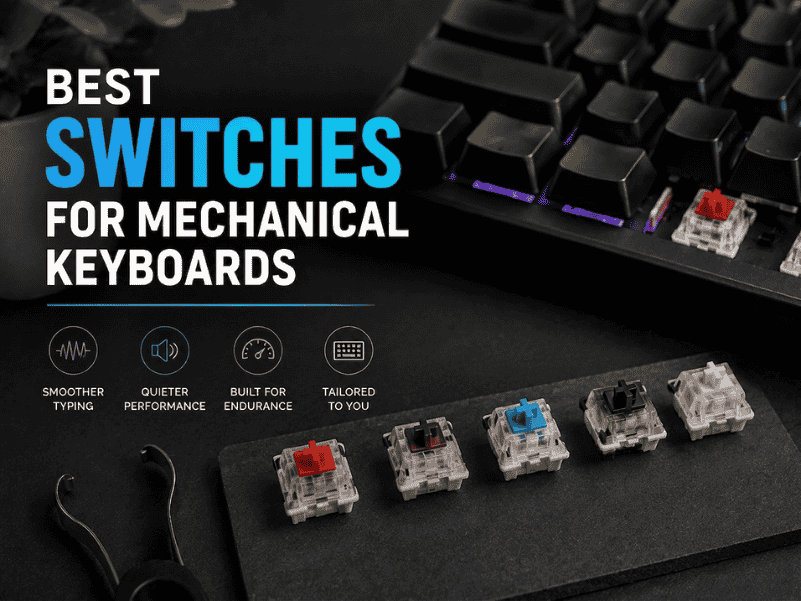
Discover the Best Switches For Mechanical Keyboards to boost typing feel, sound, and durability find your perfect match for every build!