
Last updated on September 8th, 2026 at 03:04 pm
If you’ve ever watched your mouse hand bump into a numpad or a stack of function keys you never touch, you already understand the appeal of a 65% keyboard. It strips away the parts of a full-size board most people rarely use, while holding onto the one thing 60% boards give up: dedicated arrow keys. The result is a compact layout that gives your mouse more room to breathe without forcing you to relearn how you navigate a document or line up a headshot.
That balance is exactly why 65% has become one of the most popular layouts among both first-time mechanical keyboard buyers and longtime enthusiasts. It’s small enough to feel like an upgrade, but familiar enough that the learning curve stays short.
This isn’t just another list of ten keyboards ranked by price. We’ve broken down the best 65% keyboards by what actually matters when you’re choosing one: your budget, how you’ll use it (gaming, office work, or general typing), and whether you need it wired, wireless, or both. By the end, you’ll know exactly which board fits your desk, not just which one has the most reviews.
Why Choose 65% Over 60% or TKL?
Choosing between keyboard sizes really comes down to one question: what do you actually use? A 65% keyboard hits the middle ground that keeps most people happy, and here’s why it beats the alternatives on either side.
Compared to 60%: A 60% keyboard is smaller and even more minimalist, but it drops the arrow keys entirely, so you’re stuck accessing them through a function-key combo. That’s a real adjustment if you edit documents, browse spreadsheets, or play games that lean on arrow-key navigation it’s also why arrow keys are a dealbreaker for a lot of devs, and one reason 65% boards show up so often on lists of the best keyboards for programmers. A 65% board adds back that dedicated arrow cluster (and usually Delete, Home, or Page Up/Down) for only a small increase in width, so you’re not fighting your own keyboard to move a cursor.
Compared to TKL (Tenkeyless): A TKL board keeps the full function row and navigation cluster but drops only the numpad, which still leaves a noticeably wider footprint. If desk space and mouse room are the priority, a 65% layout shaves off several more inches without sacrificing the keys you’d actually miss day to day.
In short, 65% is the layout for people who want a genuinely compact board without giving up the keys they reach for constantly. If you’re still weighing 60% vs. 65% vs. TKL vs. full-size for your specific setup, our Ultimate Keyboard Size Guide breaks down every layout in detail.
Best 65% Keyboards at a Glance
Check Price
Check Price
Check Price
Check Price
Check Price
Check Price
Check Price
Check Price
Best 65% Keyboards, Reviewed
1. Best Overall: HyperX Alloy Origins

Image credit: (Amazon)
If you want one keyboard that gets the fundamentals right without asking you to compromise on anything, the HyperX Alloy Origins 65% is the board that earns “Best Overall.” It doesn’t try to be the flashiest or the cheapest. It just nails the core experience that beginners and daily typists actually care about, and that’s exactly why it sits at the top of this list.
This is where the Alloy Origins 65% quietly separates itself from cheaper boards in the same category. The full aluminum frame gives it a dense, planted feel on the desk with no flex and no hollow rattle when you’re typing fast. With the Red linear switches, keystrokes feel smooth and consistent from top to bottom, landing closer to a soft “thock” than a sharp clack (if you’re not sure what that term means, our guide on what “thock” actually means breaks it down), especially since the aluminum body dampens some of the higher-pitched resonance you’d get from a plastic case.
The Aqua tactile switches add a gentle bump partway through the keystroke without feeling scratchy, which makes them a nice pick if you like feedback but don’t want the noise of a clicky switch. Either way, it doesn’t feel like a gaming keyboard trying too hard. It feels like a well-built tool that happens to also be great for gaming.
-
Sturdier aluminum body than plastic rivals
-
Choice of linear or tactile switches
-
PBT keycaps resist shine and wear
-
Detachable cable and tilt angles
-
No hot-swap switch sockets
-
Wired only, no wireless option
Buy this if you’re a first-time mechanical keyboard buyer who wants a durable, no-nonsense board that handles typing and gaming equally well without needing to think about upgrades later.
2. Best Value: Glorious GMMK 2

Image credit: (Amazon)
If you want the most well-rounded 65% board without stretching your budget into premium territory, the Glorious GMMK 2 is the one to beat. It packs in features you’d normally expect from a pricier custom board, which is exactly why it earns the “Best Value” spot on this list.
What stands out here is how customizable the GMMK 2 feels straight out of the box, without needing to buy a single extra part. The removable top frame lets you swap between different color options or materials without any tools, and the pre-lubed stabilizers mean the larger keys like Space and Shift don’t have that annoying rattle you’d expect at this price. Typing on the Fox switches feels smooth with just enough resistance to avoid feeling mushy, and the sound leans more toward a rounded, muted tone rather than a sharp clack.
Where it really pulls ahead of similarly priced boards is the hot-swap support, which means you’re not stuck with the stock switches if your preferences change later. For someone just getting into the hobby, that’s a meaningful upgrade path without needing to buy a whole new keyboard.
-
Hot-swappable for easy switch changes
-
Pre-lubed stabilizers reduce rattle
-
Removable top frame adds customization
-
Strong value for a semi-custom board
-
Software can feel clunky compared to rivals
-
Barebones version needs switches bought separately
Buy this if you’re looking to dip a toe into custom keyboards without committing to a fully custom build, and want room to upgrade switches down the line.
3. Best Budget Pick: Redragon K631

Image credit: (Amazon)
If you’re just testing the waters with mechanical keyboards and don’t want to spend much to find out if you like them, the Redragon K631 is the easiest entry point on this list. It covers the basics well enough that beginners won’t feel like they’re missing out, even at this price.
For the price, the hot-swap sockets are the standout feature here, since budget boards usually lock you into stock switches. The stock Red switches themselves feel light and consistent, with a soft, quiet linear travel that doesn’t demand much force to actuate. It’s not going to feel premium, and you can tell the ABS keycaps and plastic case keep costs down, but nothing about it feels broken or poorly assembled for the price.
Since it’s hot-swappable with both 3-pin and 5-pin switches, this is a genuinely good starting point if you want to experiment with different switch feels later without buying a whole new board. Typing sound stays on the quieter side with the stock switches, which is useful if you’re using it in a shared space like an office or dorm.
-
Very affordable entry point
-
Hot-swappable for future upgrades
-
2-in-1 USB-C/USB-A cable adds flexibility
-
Quiet stock switches out of the box
-
ABS keycaps will shine over time
-
Plastic case feels less premium
Buy this if you’re a first-time buyer who wants an affordable, upgradeable mechanical keyboard without spending much upfront.
4. Best Wireless: Epomaker x Aula F65

Image credit: (Amazon)
If you want a wireless 65% board that doesn’t feel like a compromise on typing quality, the Epomaker x Aula F65 is the one to reach for. It brings custom-keyboard features like gasket mounting and hot-swap sockets to a wireless setup, which is rare at this price point, and that’s what earns it the “Best Wireless” spot here.
The gasket mount is really what makes this one stand out from other wireless boards in the same range. Instead of the plate sitting rigidly against the case, it’s cushioned, which gives every keystroke a slightly softer, more cushioned landing rather than a hard bottom-out. Paired with the five-layer internal padding (two layers of foam, a switch pad, a sound-enhancing layer, and a bottom silicone pad), typing produces a noticeably deep, muted sound that leans firmly into “thocky” territory rather than sounding hollow or tinny, which is impressive for a board in this price range.
Since the switches are hot-swappable, you’re not stuck with whatever comes in the box if you decide you want a different feel later. The tri-mode connectivity also means you’re not locked into one setup: Bluetooth for switching between devices, 2.4GHz for lower latency, and wired USB-C when you want zero input lag or need to charge while using it.
-
Gasket mount gives a cushioned, quieter keystroke
-
Genuinely deep, “thocky” sound for the price
-
Hot-swappable switches for future upgrades
-
True tri-mode connectivity (BT/2.4GHz/wired)
-
Software is Windows-only
-
Battery life takes a hit with RGB left on
Buy this if you want a wireless 65% keyboard that still delivers a premium, custom-board typing feel without paying custom-board prices.
5. Best for Competitive Gaming: Corsair K65 PRO

Image credit: (Amazon)
If milliseconds matter to you, the Corsair K65 PRO is built specifically for that mindset. Corsair designed this board around raw input speed rather than customization or comfort, and it shows in every spec sheet number, which is exactly why it takes the “Best for Competitive Gaming” spot.
The OPX switches are the headline feature here, and they feel noticeably different from a standard mechanical switch the moment you start typing or gaming on them. With a 1.0mm actuation distance and only 3.2mm of total travel, keystrokes register almost as soon as you touch the key, which takes a little adjustment if you’re coming from a standard linear switch but becomes second nature fast during fast-paced games. Since they’re optical rather than physical-contact switches, there’s also less debounce delay, so inputs feel closer to instant.
Combined with Corsair’s AXON hyper-processing technology and support for up to 8,000Hz polling, this board is built to shave every possible millisecond off your reaction time. It’s not designed to feel plush or premium in the way a gasket-mounted board does. It’s tuned like a piece of competitive equipment, and typing on it makes that intention obvious.
-
OPX optical switches register inputs almost instantly
-
Supports up to 8,000Hz polling rate
-
Durable, tournament-focused build
-
AXON tech reduces input lag
-
Switches aren’t hot-swappable
-
Linear-only, no tactile or clicky option
Buy this if you’re a competitive or ranked gamer who wants the fastest possible input response and doesn’t need switch customization.
6. Best for Mac/Cross-Platform: Keychron K6 Pro

Image credit: (Amazon)
If you split your time between a Mac and a Windows machine, the Keychron K6 Pro is built specifically to solve that headache. It ships with keycaps and a layout for both operating systems, which is exactly why it earns the “Best for Mac/Cross-Platform” spot on this list.
Typing on the stock Red switches feels light and smooth, with a consistent linear travel from top to bottom and a soft landing thanks to the PCB-mounted screw-in stabilizers on the larger keys. There’s no scratchiness or grittiness that you sometimes get with budget linear switches, and the sound stays fairly quiet and rounded rather than sharp. Since it’s hot-swappable, you can drop in tactile or clicky switches later if your preferences change, without needing a different board.
What really sells this one for cross-platform use is how little friction there is switching between devices. You can pair up to three devices over Bluetooth and toggle between them instantly, and the included Mac and Windows keycap sets mean you’re not stuck guessing which key does what when you switch systems. It also supports QMK/VIA, so you can remap keys or build macros for either OS through Keychron’s Launcher software.
-
Ships with Mac and Windows keycaps
-
Hot-swappable for future switch changes
-
Connects to 3 devices via Bluetooth
-
QMK/VIA support for remapping
-
90Hz wireless polling isn’t ideal for competitive gaming
-
ABS case feels less premium than aluminum rivals
Buy this if you regularly switch between Mac and Windows and want one keyboard that works seamlessly across both without extra keycap swaps.
7. Best Build Quality: Ducky One 3 SF

Image credit: (Amazon)
If you want a board that feels like it was built to last a decade rather than a year, the Ducky One 3 SF is the clear standout. Ducky has been refining this formula for over a decade, and it shows in every detail, from the keycaps down to the switch sockets, which is why it earns the “Best Build Quality” spot here.
The build quality is immediately obvious the moment you pick it up. The case has real heft to it, and Ducky’s internal dampening (a silicone plate dampener paired with EVA foam) noticeably cuts down on the hollow ping that cheaper boards suffer from. Typing on the Cherry MX switches gives you a crisp, consistent keystroke with a defined tactile bump, and the improved stabilizers keep larger keys like Space and Enter rattle-free, which is something a lot of boards at this price still get wrong. The double-shot PBT keycaps also feel thick and textured rather than slick, and they won’t develop the shine that cheaper ABS caps do after months of use.
What really sets this apart from competitors is the attention to small details: adjustable feet for three tilt angles, a DIP switch panel on the bottom for toggling things like N-key rollover, and hot-swap sockets that let you change switches without ever needing to solder. It’s not the flashiest board on this list, but it’s the one that feels the most reassuringly solid under your fingers.
-
Exceptional case rigidity and heft
-
Effective internal sound dampening
-
Thick double-shot PBT keycaps resist wear
-
Hot-swappable for future switch changes
-
No dedicated software for RGB or macros
-
Sits at the higher end of the price range
Buy this if you want a keyboard built to last for years and care more about long-term durability and feel than software customization.
8. Best for Customization: Glorious GMMK 3

Image credit: (Amazon)
If tweaking every part of your keyboard sounds like fun rather than a chore, the GMMK 3 is built exactly for that. Glorious designed it around modularity from the ground up, and with over a billion possible configurations, it easily earns the “Best for Customization” spot on this list.
What makes the GMMK 3 different from a typical prebuilt is how much of it you can actually change without any tools. The Modular Gasket System lets you swap in different gasket pieces to make the typing feel firmer or softer, almost like building with blocks, and the aluminum switch plate can be swapped for alternative materials to shift the sound and feedback entirely. Stock Fox switches feel smooth and consistent for a linear switch, with two layers of internal foam keeping the sound clean and controlled rather than hollow or pingy.
The programmable knob is a small but genuinely useful touch, letting you handle volume or media controls with a twist instead of digging through function-key combos. Since the whole board runs on Glorious CORE software, you can fine-tune lighting, remap keys, and manage every modular piece from one place, which makes it feel less like a finished product and more like a platform you build on over time.
-
Genuinely modular gasket and plate system
-
Hot-swappable with a wide range of MX switches
-
Doubleshot PBT keycaps resist wear
-
Programmable knob for quick media control
-
Higher price than most 65% boards on this list
-
Software depth can feel overwhelming for total beginners
Buy this if you enjoy tinkering with your gear and want a board you can keep tuning and rebuilding rather than one you set up once and leave alone.
Buying Guide: What to Look for in a 65% Keyboard
Now that you’ve seen how these eight boards stack up, it helps to understand why they landed in their specific categories. A few factors keep coming up across every review above, and knowing what they mean makes it much easier to pick the right board for you instead of just going with whichever one sounds the most popular.
Switch type. This is the biggest factor separating something like the Corsair K65 PRO from the Ducky One 3 SF. Linear switches, like the HyperX Red or Corsair OPX switches we covered, are smooth with no bump and are generally the fastest choice for gaming. Tactile switches add a small bump you can feel at the actuation point, which helps with typing accuracy, and it’s why the HyperX Aqua option is worth considering if you split time between typing and gaming. Clicky switches, like the Cherry MX Blue on the Ducky One 3 SF, add an audible click on top of that bump, and they’re best avoided if you share a room or an office with anyone. Our full guide to the best keyboard switches for gaming covers the differences in more depth if you want to dig further before deciding.
Hot-swap sockets. Notice how most of the boards on this list, from the budget-friendly Redragon K631 to the fully modular GMMK 3, all support hot-swapping. That’s not a coincidence. A hot-swappable PCB lets you remove and replace switches without any soldering, which is the single easiest upgrade path for a first-time buyer. If you want to see exactly how that process works, our guide to installing switches on hot-swap keyboards walks through it step by step. If you’re not sure which switch feel you’ll prefer long-term, prioritizing hot-swap support now saves you from buying a second keyboard later, the way it did for several picks above.
Wired vs. wireless. This is exactly what separated the Corsair K65 PRO from the Epomaker x Aula F65 in our rankings. Wired connections eliminate any concern about input lag and never need charging, which is why they’re still the default choice for competitive gaming. Wireless boards have closed most of that latency gap in 2.4GHz mode, and the convenience of a cable-free desk is hard to overstate once you’ve tried it, especially if flexibility matters more to you than shaving off milliseconds.
Build material. This is the difference you feel the moment you pick up the HyperX Alloy Origins or the Ducky One 3 SF versus something like the Redragon K631. Aluminum cases feel more substantial and typically produce a deeper, more solid sound profile than plastic. Plastic cases keep costs down and aren’t inherently worse, but they’re more prone to a hollow or “clacky” sound if the internal foam dampening is thin, which is exactly why budget boards benefit so much from good internal padding.
Final Thoughts: Finding Your Best 65% Keyboard
Choosing a 65% keyboard really comes down to matching the board to how you actually use your desk. If you want a reliable all-rounder, the HyperX Alloy Origins covers the fundamentals without asking you to compromise. If your budget is tight, the Redragon K631 gets you into the hobby affordably with room to upgrade later. And if you’re chasing every last millisecond in competitive games, the Corsair K65 PRO’s optical switches are hard to beat.
What matters most is being honest about your priorities. Do you care more about typing feel than gaming speed? Do you need to switch between a Mac and a PC? Do you want a board you can rebuild and rebuild again, like the GMMK 3, or one you can set up once and forget about, like the Ducky One 3 SF? Once you answer those questions, the right pick from this list becomes obvious.
Whichever board fits your setup, you’ll immediately notice the difference a 65% layout makes. More desk space, less reaching for your mouse, and none of the keys you’d actually miss left behind.
Ready to upgrade your desk? Tap any of the links above to check current pricing and availability on Amazon, and grab the 65% keyboard that fits your setup best before the deal changes.
Frequently Asked Questions
A 65% keyboard is essentially a 60% keyboard with dedicated arrow keys added back in, plus a few extra navigation keys like Delete, Page Up, and Page Down. It’s slightly wider than a 60% board but avoids the arrow-key workaround that 60% layouts require.
Most 65% keyboards have between 66 to 68 keys, depending on the specific manufacturer and layout variant, compared to 104 keys on a full-size board.
Yes, especially for fast-paced genres. The 65% keyboard is a perfect balance between efficiency and aesthetics, best suited for those who crave a tidy workspace, often carry their keyboard around, or mainly play FPS and MOBA games. The extra desk space also gives your mouse hand more room to swing freely.
The most common complaint is losing the number pad, which matters if you regularly enter numbers into spreadsheets. Some layouts also drop keys like Home, End, or Insert, meaning you’ll rely more on function-key combinations for those.
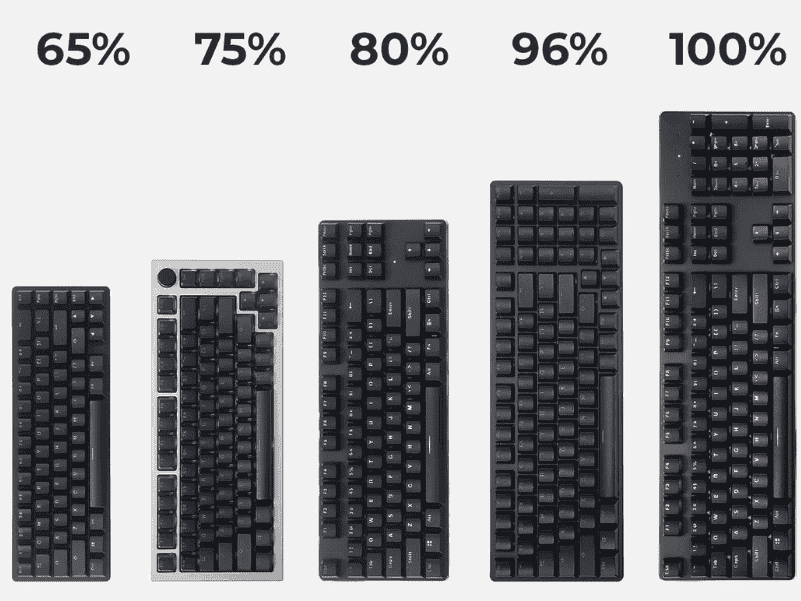
The Ultimate Keyboard Size Guide for Beginners helps you choose the right layout, dimensions, and ergonomics for comfortable, efficient typing and gaming.
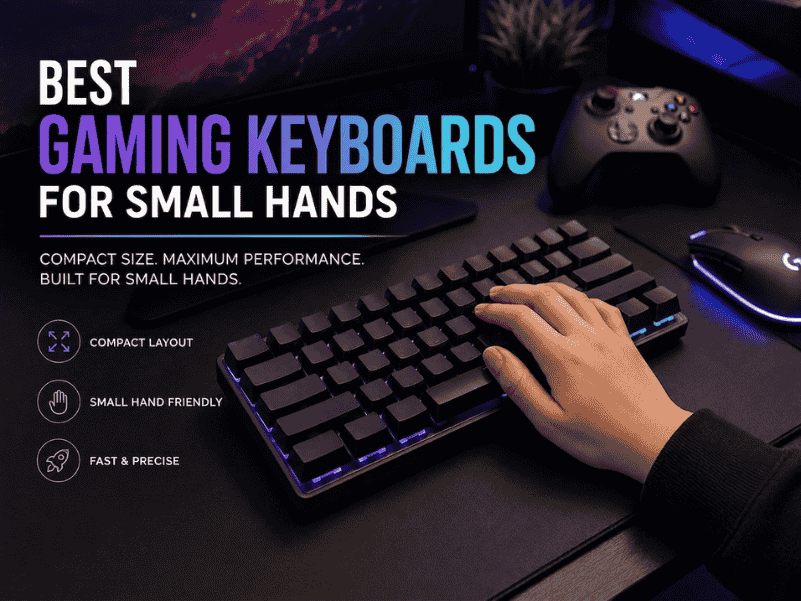
Best gaming keyboards for small hands feature compact layouts, responsive switches, and ergonomic designs for precise control and comfort.
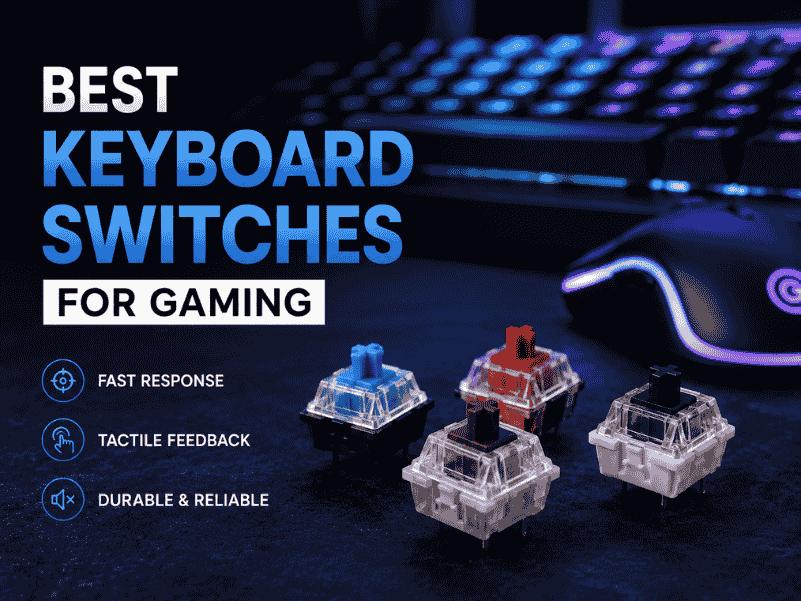
Explore the Best keyboard switches for gaming with lightning-fast actuation, crisp feedback, and durable builds elevate your play and dominate every match!
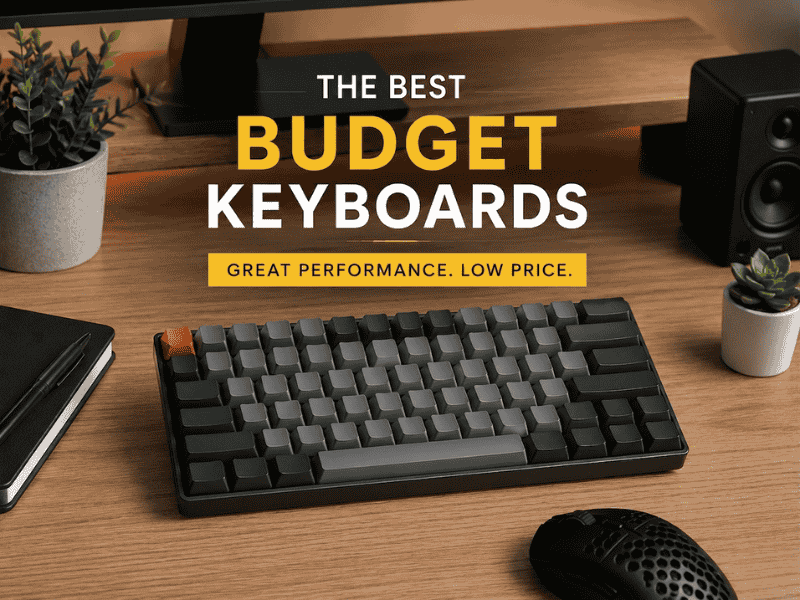
Explore the best budget keyboards with great performance, durability, and style for typing, gaming, and everyday use.