
Last updated on September 8th, 2026 at 02:19 pm
Fortnite is one of those games where the gap between knowing what to do and actually executing it comes down to milliseconds. A well-timed edit reset, an instant wall placement, a clean strafe during a box fight. These are not mechanical skill issues. They are input issues. And the keyboard sitting in front of you has more influence over those inputs than most players realize.
This guide cuts through the noise. No padding, no keyboard jargon for its own sake. Just an honest look at which keyboards actually improve building and editing speed in Fortnite, which features genuinely matter versus which ones are marketing, and how to pick the right one for your budget and playstyle without overspending on hardware your skill level does not yet need.
Honestly, it depends on what you mean by better.
A 200 dollar keyboard will not fix slow game sense, poor positioning, or inconsistent aim. Those are skill problems and no peripheral solves them. If you are losing fights in Fortnite, the keyboard is almost certainly not the reason.
That said, there is one area where the hardware genuinely matters: building and editing speed. The physical limitations of how quickly you can input consecutive keystrokes are real, and certain keyboard technologies reduce those limitations in ways that are noticeable at higher levels of play.
The honest rule is this. Buy a keyboard that supports adjustable actuation if building and editing speed is your bottleneck. Do not buy one expecting it to replace practice.
If you only take one thing from this guide make it this. The single feature that separates a genuinely competitive Fortnite keyboard from everything else is adjustable actuation combined with Rapid Trigger.
A standard mechanical keyboard has a fixed actuation point, usually around 2mm of travel. Every key press must travel past that fixed point to register and must fully reset past it before the next press can register. In a fast edit sequence that reset requirement creates a small but consistent delay between inputs. Adjustable actuation lets you set how deep each key needs to travel before it registers. For building keys like F1 and F2 setting the actuation to 0.4mm means the key registers with the lightest touch, placing walls and ramps almost instantly. For movement keys like W A S D setting actuation to 1.5mm prevents accidental strafes during intense building sequences when your fingers are flying across the keyboard.

Standard fixed actuation requires the same travel depth on every keypress. Adjustable actuation lets you set exactly where each key registers, a critical advantage for building and editing speed in Fortnite.
The first time I tested adjustable actuation properly, setting my building keys to 0.4mm and movement keys to 1.5mm, the difference in edit reset speed was immediately noticeable. Not dramatic, but real enough that going back to a fixed actuation keyboard felt noticeably sluggish by comparison.
Rapid Trigger takes this further by resetting the key the moment your finger lifts rather than waiting for the switch to physically travel back past the actuation point. For edit resets in Fortnite this is the difference between a clean reset and a missed input during a fast sequence.
SOCD, which stands for Simultaneous Opposite Cardinal Directions, lets you press left and right at the same time and have the keyboard resolve the conflict intelligently. In Fortnite this translates to cleaner strafing during box fights because the keyboard handles the input overlap rather than cancelling both directions out.
For a full list of keyboards that support these features our guide to the best keyboards with Rapid Trigger covers every option at every price point.
Check Price
Check Price
Check Price
Check Price
Check Price
Amazon pick
option
Not every keyboard on this list is competing for the same player. The SteelSeries and ROG are the pure competitive picks where every spec is optimised for fast building and editing in Fortnite specifically. The Razer Huntsman V3 Pro TKL earns its place for players who want a TKL layout with function row and arrow keys readily accessible without going to a full size board.
The Aula Win60 HE deserves special mention because its Rapid Trigger step distance of 0.02mm is tighter than every premium board on this list. For pure Rapid Trigger sensitivity at this price it outperforms keyboards costing three times as much. The trade off is no SOCD support and a less polished software experience.
The Keychron Q1 HE is the only wireless option on this list and the only one that genuinely doubles as a premium daily typing keyboard. Its 1000Hz polling via 2.4GHz is competitive enough for most players though it falls behind the 8000Hz options on paper.
One honest note on SOCD. The Aula Win60 HE and Keychron Q1 HE do not have dedicated SOCD modes. For Fortnite building and editing this is not a dealbreaker since SOCD matters most for strafing in gunfights rather than building sequences. But if strafing responsiveness is your primary concern the SteelSeries and ROG options handle it more completely.
Prices are approximate based on current Amazon USA listings and may shift depending on sales and availability at the time you are reading this.
1. SteelSeries Apex Pro Mini (Best Overall Pick for Fortnite)

Image credit: (SteelSeries)
The Apex Pro line has been popular in competitive Fortnite for years and the Gen 3 Mini is the most refined version of it yet. What makes it the top Amazon available pick for this article is not just the hardware. It is the combination of competitive features, polished software, and one practical exclusive that no other keyboard on this list has.
The OmniPoint 3.0 Hall Effect switches give you 0.1mm adjustable actuation per key, Rapid Trigger, and Rapid Tap SOCD with up to five key pairings. Those are the three features that matter most for Fortnite building and editing and all three are present and well implemented.
The exclusive feature worth highlighting is GG QuickSet. When you launch Fortnite the SteelSeries GG software automatically loads a Fortnite optimised actuation profile without any manual setup. Building keys drop to ultra-low actuation. Movement keys sit at a more deliberate depth to prevent accidental strafes. No other keyboard on this list does this automatically. For a player who does not want to spend time configuring actuation settings manually it is a practical advantage that saves real setup time.
Protection Mode is another Fortnite-relevant feature that competitors do not offer. It reduces the sensitivity of keys surrounding your active keypress, preventing the accidental inputs that happen during fast building sequences when your fingers are moving quickly across the board. The 60 percent compact layout frees up meaningful mouse space for wider aim movements, which matters for low-sensitivity players who need room for sweeping flick shots.
The polling rate is 1000Hz rather than the 8000Hz some competitors offer. For Fortnite specifically this is not a meaningful disadvantage since the game’s server tick rate is the real bottleneck rather than polling rate. But it is worth knowing if you plan to use this keyboard across multiple titles where higher polling rates matter more.
The function row and number keys do not use OmniPoint switches. They use standard linear switches instead. This is a cost saving measure that is barely noticeable in Fortnite since those keys are rarely used in competitive play, but it is worth knowing if you expected premium switches across every key.
The Mini version does not come with a wrist rest or OLED screen, both of which are included with the TKL and full size versions at a similar price. If those features matter to you the Apex Pro TKL Gen 3 is worth considering instead.
Price: Around 160 to 180 dollars on Amazon USA.
-
GG QuickSet auto-loads Fortnite profile on launch
-
Rapid Tap SOCD with five customisable key pairings
-
Protection Mode prevents accidental inputs mid-build
-
60 percent layout maximises mouse space
-
Pre-lubed switches and triple layer dampening stock
-
1000Hz polling not 8000Hz
-
Function row uses standard switches not OmniPoint
-
No wrist rest or OLED screen on Mini variant
The most complete competitive Fortnite package available on Amazon right now. The GG QuickSet auto-profile feature alone saves setup time that most competing keyboards make you spend manually. If you want Hall Effect performance with polished software and you need to buy from Amazon, this is the one to get.
2. ASUS ROG Falchion Ace (Best for Players Who Want 8000Hz)

Image credit: (Rog.asus)
The Falchion Ace HFX is the keyboard on this list that takes the fewest compromises on raw competitive specs. Hall Effect switches, 8000Hz polling, Speed Tap SOCD, Rapid Trigger, and a unique touch panel control bar all in a 65 percent layout that keeps arrow keys while still freeing up meaningful mouse space.
The ROG HFX Magnetic switches deliver 0.1mm to 4.0mm adjustable actuation with Rapid Trigger enabled. What separates the Falchion Ace HFX from the SteelSeries above it on this list is the 8000Hz polling rate, which means the keyboard reports inputs to your PC eight times more frequently than a standard 1000Hz board.
For most Fortnite players the practical difference between 1000Hz and 8000Hz is difficult to perceive. But for players who have already optimised every other variable in their setup and are looking for the last edge, the higher polling rate is a genuine hardware differentiator that only the Aula Win60 HE matches on this list.
Speed Tap is ASUS’s implementation of SOCD. When you press left and right simultaneously it prioritises the most recently pressed direction rather than cancelling both inputs out. For strafing during box fights in Fortnite this translates to movement that never stutters or locks up during direction changes.
The touch panel running along the rear edge of the keyboard is a worthwhile addition rather than a gimmick. A swipe adjusts volume, brightness, or actuation points without alt-tabbing out of Fortnite. The dual USB-C ports allow instant device switching between two computers without unplugging anything.
The Falchion Ace HFX is wired only with no wireless option. For a keyboard at this price point that limitation stands out, especially when competing boards offer wireless at similar prices. The Armory Crate software is functional but heavier than most competitors’ drivers and requires a larger install footprint on your system.
Some users have noted a small amount of deck flex when pressing toward the centre of the keyboard. It is not severe enough to affect gameplay but it is worth knowing if you apply heavy pressure during intense building sequences.
Price: Around 150 to 170 dollars on Amazon USA.
-
8000Hz polling rate for maximum responsiveness
-
Speed Tap SOCD handles direction inputs cleanly
-
Touch panel adjusts settings without leaving the game
-
Dual USB-C ports for instant two device switching
-
Five layer sound dampening stock
-
Wired only at this price point
-
Armory Crate software heavier than most competing drivers
-
Minor deck flex under heavy centre key pressure
The strongest 8000Hz Hall Effect option available on Amazon right now. If polling rate matters to you and you want SOCD alongside Rapid Trigger in a compact layout that still keeps arrow keys the Falchion Ace HFX delivers all of it without asking you to compromise on core competitive features.
3. Razer Huntsman V3 Pro (Best TKL Layout for Fortnite)

Image credit: (Razer)
Every keyboard on this list so far has been 60 or 65 percent. The Huntsman V3 Pro TKL is the option for players who want the full function row and arrow keys readily accessible without moving to a full size board. It is also the only keyboard on this list that uses analog optical switches rather than Hall Effect magnetic ones, and that distinction is worth understanding before you buy.
The Gen-2 Analog Optical switches use light beams rather than magnets to detect keypresses. Razer claims this makes them more resistant to magnetic and electrical interference than Hall Effect alternatives, and the actuation precision across the 0.1mm to 4.0mm range has been independently verified by multiple reviewers as among the tightest of any production keyboard available. PC Gamer specifically noted a noticeable difference when playing Fortnite with the keyboard after adjusting to the actuation settings.
The 8000Hz polling rate combined with 0.1mm Rapid Trigger sensitivity produces what multiple competitive gaming reviewers have described as one of the fastest production keyboards available. For Fortnite building and editing that responsiveness is immediately felt when switching from a standard mechanical keyboard.
Snap Tap handles SOCD in the same way as Speed Tap on the ROG and Rapid Tap on the SteelSeries. Worth noting that Snap Tap is effective enough that Counter-Strike 2 has banned it entirely, which tells you something about how well it actually works.
The TKL layout advantage for Fortnite is straightforward. Function keys F1 through F12 are accessible without a function layer which suits players who bind building pieces to F keys without remapping them to a secondary layer.
The Huntsman V3 Pro TKL is not hot swappable. You are locked into Razer’s analog optical switches for the lifetime of the keyboard. For most competitive players this is not an issue since the switches are well regarded. But if you ever want to experiment with different switch feels this board does not allow it.
The magnetic wrist rest included in the box is functional but described by multiple reviewers as slightly flat for very long sessions. Players who type for extended periods alongside gaming may want a thicker aftermarket option.
Razer Synapse software is required for full feature access and runs on Windows only. Mac users get basic functionality but cannot access Rapid Trigger configuration or Snap Tap settings through the driver.
Price: Around 180 to 200 dollars on Amazon USA.
-
8000Hz polling with 0.1mm Rapid Trigger sensitivity
-
Snap Tap SOCD proven effective across multiple competitive titles
-
TKL layout keeps function row and arrow keys accessible
-
Analog optical switches resistant to magnetic interference
-
Magnetic wrist rest and doubleshot PBT keycaps included stock
-
Not hot swappable, locked into Razer optical switches
-
Razer Synapse required, Windows only for full features
-
Wrist rest flat for extended typing sessions
The strongest TKL option on this list and the only board here with analog optical switches specifically tested in Fortnite by major reviewers. If you want function row access, 8000Hz polling, and Rapid Trigger in a layout that gives your mouse room to breathe without going full size, this is the one.
4. Aula Win60 HE (Best Budget Hall Effect Keyboard for Fortnite)

Image credit: (Aula)
Every other keyboard on this list costs between 150 and 220 dollars. The Aula Win60 HE costs around 60 dollars. That price gap is significant enough that it deserves an honest explanation rather than a disclaimer, because the Win60 HE does not just punch above its weight on paper. It delivers the one feature that matters most for competitive Fortnite at a fraction of what every competing brand charges for it.
The Win60 HE’s Rapid Trigger step distance of 0.02mm is tighter than the SteelSeries Apex Pro Mini Gen 3, the ROG Falchion Ace HFX, and the Keychron Q1 HE. All three of those keyboards cost two to three times more. For pure Rapid Trigger sensitivity the Win60 HE is the most precise board on this entire list, and that precision is the single most important feature for Fortnite building and editing speed.
The 8000Hz polling rate matches the ROG and Razer options above it on the list. Combined with the 0.02mm Rapid Trigger step distance and 0.3ms tested latency, the Win60 HE inputs reach your PC faster than most players can perceive a difference. The WingChun magnetic switches run at 36g actuation force which is light enough for rapid repeated building inputs without causing hand fatigue during long sessions.
The hot swappable PCB accepts any compatible Hall Effect switch if you ever want to experiment with different weights or feels down the line, which is a feature most budget boards do not offer.
The Win60 HE does not have a dedicated SOCD mode. There is no Rapid Tap, Speed Tap, or Snap Tap equivalent. For Fortnite building and editing this is a minor limitation since SOCD matters most during strafing in gunfights rather than building sequences. But players who prioritise movement precision alongside building speed will notice the absence compared to the SteelSeries and ROG options.
The customization runs through a web-based driver rather than a dedicated desktop application. It is functional and works across any device with a browser but it is less polished and less intuitive than Synapse, Armory Crate, or SteelSeries GG. Multiple reviewers noted that the web driver gets the job done but takes longer to navigate than a dedicated app.
The ABS plastic case with tray mount construction feels noticeably less premium than the aluminum chassis boards above it on this list. It does not feel flimsy but it does not feel like a 200 dollar keyboard either. That is a reasonable trade-off for a 60 dollar board with competitive specs that genuinely rival boards costing three times the price.
Price: Around 50 to 70 dollars on Amazon USA.
-
0.02mm Rapid Trigger step distance tightest on this list
-
8000Hz polling rate matches premium competitors
-
Hall Effect switches hot swappable for future upgrades
-
Most affordable Hall Effect Rapid Trigger option on Amazon
-
0.3ms tested latency competitive with boards costing three times more
-
No dedicated SOCD mode
-
Web-based driver less polished than desktop apps
-
ABS plastic tray mount construction feels budget at this price
The most important competitive Fortnite feature, Rapid Trigger, delivered at around 60 dollars with specs that outperform keyboards costing three times as much on the one metric that matters most. If budget is your primary constraint and SOCD is not a priority, nothing else on Amazon comes close to this value proposition.
5. Keychron Q1 HE (Best for Players Who Also Type a Lot)

Image credit: (Keychron)
Every other keyboard on this list was designed with one primary audience in mind. Competitive gamers. The Keychron Q1 HE is the only board here that was genuinely built for two audiences simultaneously, serious gamers and serious typists, without compromising meaningfully on either.
The Gateron Double-Rail Magnetic switches deliver 0.1mm to 4.0mm adjustable actuation per key with Rapid Trigger enabled. GamesRadar confirmed SOCD support where games permit, making it the only wireless board on this list with all three core competitive features: Rapid Trigger, adjustable actuation, and SOCD in one package.
The feature that separates the Q1 HE from every other board on this list for Fortnite specifically is per key actuation customisation through the Keychron Launcher. One reviewer set building keys to ultra shallow actuation for instant wall and ramp placement, movement keys to a deeper depth to prevent accidental strafes, and weapon swap keys to a mid-range setting for deliberate but responsive switching. Every key doing a different job at a different depth is not something any fixed actuation keyboard can replicate.
The 75 percent layout keeps the function row and arrow keys accessible without reaching for a layer, covering the same layout advantage the Razer Huntsman offers in a wireless package.
The Q1 HE is the only wireless option across all five keyboards. The 2.4GHz connection runs at 1000Hz polling rate which is competitive for Fortnite despite falling behind the 8000Hz wired options above it. For players who genuinely need a cable-free desk setup or who travel with their keyboard, nothing else on this list offers wireless Hall Effect performance at any price.
The hot swap system only accepts Gateron Double-Rail Magnetic switches specifically. Standard mechanical switches do not fit and neither do other brands’ Hall Effect switches. Your upgrade path stays within Keychron’s own switch ecosystem which currently has limited variety compared to the broader mechanical switch market.
The Keychron Launcher configurator runs in a browser and requires internet access for initial setup. All settings save to onboard memory afterward so daily use needs no connection. One reviewer noted spending about an hour getting everything configured initially which is longer than most competing software requires.
Price: Around 180 to 220 dollars on Amazon USA.
-
Only wireless Hall Effect option on this list
-
Per key adjustable actuation ideal for Fortnite key binding setup
-
Full aluminum double-gasket build most premium construction here
-
SOCD support where games permit
-
QMK and VIA support for deep programmability
-
1000Hz polling via 2.4GHz not 8000Hz like wired competitors
-
Hot swap limited to Gateron magnetic switches only
-
Browser based configurator requires longer initial setup than desktop apps
The only keyboard on this list that earns a permanent place on a desk used for both competitive Fortnite and serious daily work. The wireless flexibility, per key actuation customisation, and premium build quality justify the price for players who want one board that handles everything without compromise.
Five keyboards, five different situations. Here is a straight answer for each one without any hedging.
You want the best overall Amazon available option with the most polished competitive features
The GG QuickSet auto-profile loads your Fortnite settings the moment you launch the game. No manual configuration required. Rapid Tap SOCD and Protection Mode cover every competitive edge case in one package. Nothing else on Amazon does this as completely.
You want 8000Hz polling and SOCD in a 65 percent layout that keeps arrow keys
The highest polling rate on this list combined with Speed Tap SOCD and a touch panel that adjusts settings without alt-tabbing. The best pure competitive spec sheet available on Amazon right now if polling rate is your priority.
You want a TKL layout with function row access and 8000Hz polling
The only TKL board on this list with 8000Hz polling and Snap Tap SOCD. Function keys F1 through F12 are accessible without a layer which suits players who bind building pieces directly to F keys. The most complete feature set in a TKL format available on Amazon.
You want Hall Effect and Rapid Trigger but cannot spend more than 70 dollars
The tightest Rapid Trigger step distance on this entire list at 0.02mm, 8000Hz polling, and Hall Effect switches at around 60 dollars. The competitive feature gap between this and the 150 to 200 dollar boards above it is smaller than the price gap suggests. Nothing on Amazon comes close to this value for Fortnite specifically.
You want wireless Hall Effect performance and a keyboard that doubles as a premium daily driver
The only wireless option on this list with per key adjustable actuation, SOCD support, and a full aluminum build that feels genuinely premium for both gaming and extended typing sessions. If you want one keyboard for everything and cable-free is non-negotiable, this is the only choice here that delivers it.
You are brand new to keyboard and mouse and have not committed to the switch yet
Start with any decent mechanical keyboard under 60 dollars with linear switches and spend two to three months on keyboard and mouse first. If your building and editing speed becomes the clear bottleneck in your Fortnite gameplay after that adjustment period, then invest in a Hall Effect board. Buying a 200 dollar keyboard before you know whether you will stick with keyboard and mouse is the most common expensive mistake new players make.
Buying the right keyboard is only half the equation. Setting it up correctly for Fortnite is where the real competitive advantage comes from. Here are the actuation settings that matter and why.
Not every key in Fortnite needs the same actuation depth. The whole point of adjustable actuation is matching each key to what it actually does in game.
These are your most time-critical inputs. The shallower the actuation the faster your building pieces place. Setting these to 0.4mm means the key registers with the lightest possible touch, which is the difference between a wall going up and a wall being a frame too late.
Counterintuitively you want more travel on movement keys not less. A 0.4mm actuation on WASD during a fast building sequence will register accidental movement inputs every time your fingers brush the keys. A 1.5mm to 2.0mm depth gives you deliberate movement without misfires.
Same logic as building keys. Edit resets are the most timing-sensitive action in Fortnite and every fraction of a millimetre of required travel adds to your edit sequence time.
Mid-range actuation works here. Fast enough for responsive switching without the accidental weapon changes that come from ultra-shallow settings.
Keys you press deliberately and infrequently do not need shallow actuation. Leave them at or near the default travel depth.
If you want to understand exactly how actuation points work at a technical level and why these specific settings improve building and editing speed, our guide on mechanical keyboard switch actuation force explains the full mechanics behind adjustable actuation and Rapid Trigger in plain language.
Enable Rapid Trigger on every key you have set to shallow actuation. The building keys and edit key especially. Set the Rapid Trigger sensitivity to match your Rapid Trigger step distance. For the Aula Win60 HE that means 0.02mm. For the SteelSeries and ROG boards that means 0.1mm.
The practical effect for Fortnite is that your building and edit keys reset the moment your finger lifts rather than waiting for the switch to travel back past a fixed reset point. In a fast edit sequence that reset behavior is what separates clean consecutive inputs from missed inputs that happen because the key had not fully reset yet.
If your keyboard has a dedicated SOCD mode, enable it for the A and D keys specifically. Set the priority to last input wins rather than neutral. This means pressing left and right simultaneously prioritises whichever direction you pressed most recently rather than cancelling both out.
For Fortnite box fights this translates to strafing that never stutters or locks up during direction changes. Your movement stays continuous even during rapid direction reversals which is exactly what the strafe mechanic in close range combat requires.
The gap between a standard mechanical keyboard and a Hall Effect board with Rapid Trigger is real in Fortnite, but only in the places that actually matter. Building speed, edit resets, and strafe responsiveness. Everything else comes down to practice and game sense that no keyboard can shortcut.
If I had to pick one board from this list for most Fortnite players, it would be the SteelSeries Apex Pro Mini Gen 3. The auto-loaded Fortnite profile removes the setup friction that stops most players from getting the most out of adjustable actuation.
Which keyboard are you currently using for Fortnite and what made you choose it over everything else out there? Drop it in the comments below.
Yes, but mainly for mouse space. Smaller layouts like 60 and 65 percent free up more desk room for wider aim movements. TKL keeps the function row accessible for players who bind building pieces to F keys. Anything from 60 percent to TKL works well for competitive play. Full size is the only layout that genuinely hurts by pushing your mouse arm too far right.
Yes, if it uses 2.4GHz at 1000Hz polling or higher. The latency difference between a quality 2.4GHz connection and wired is too small to affect gameplay for most players. Avoid Bluetooth for competitive play due to inconsistent connection stability.
Hall Effect or analog optical switches with Rapid Trigger enabled. The switch type matters less than whether Rapid Trigger is supported since that feature directly reduces time between consecutive building and editing inputs. Our guide on best switches for mechanical keyboards covers the full breakdown.
Mechanical switches work fine below mid-level play. Hall Effect switches add Rapid Trigger which resets keys the moment your finger lifts rather than at a fixed point. That difference is real for fast edit sequences but irrelevant if building speed is not yet your bottleneck.
SOCD means pressing left and right simultaneously. On a standard keyboard both inputs cancel and your character stops. SOCD mode prioritises the most recently pressed direction so movement never stutters during rapid direction changes. For strafing in close range box fights it produces noticeably cleaner directional transitions.
Find the best keyboards with Rapid Trigger that deliver instant response, smooth key presses, and a competitive edge for fast-paced gaming.
Best keyboards for league of legends combine low-latency switches, customizable macros, and durable builds for precise combos and seamless gameplay.
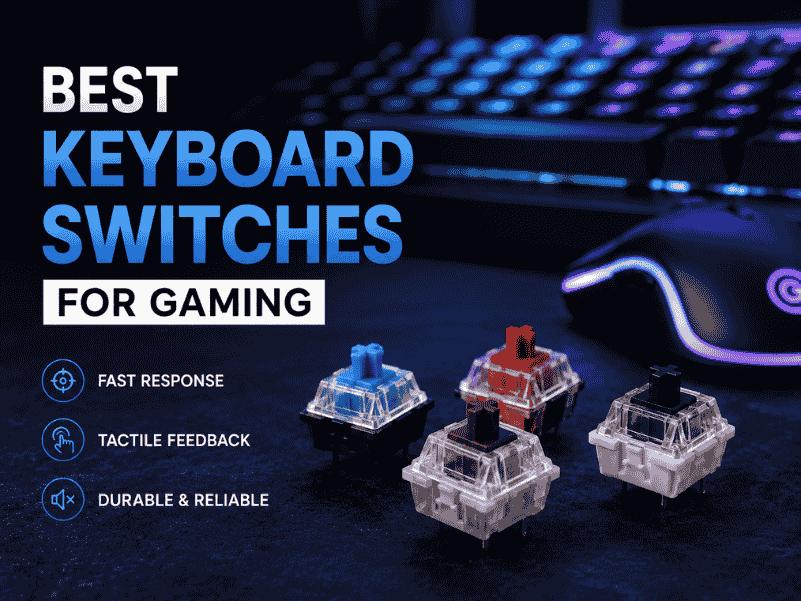
Explore the Best keyboard switches for gaming with lightning-fast actuation, crisp feedback, and durable builds elevate your play and dominate every match!
Best gaming keyboards for small hands feature compact layouts, responsive switches, and ergonomic designs for precise control and comfort.