
Last updated on June 11th, 2026 at 04:41 pm
Cherry MX isn’t the flashiest name in mechanical keyboards anymore, but it’s still the one most people trust. Ask a non-enthusiast what “mechanical keyboard” even means, and there’s a good chance they’ll picture a Cherry MX switch without knowing it. That reputation was built over four decades, and in 2026, with switch options multiplying faster than most buyers can keep track of, that kind of proven consistency still counts for something.
This guide is for anyone trying to cut through the noise and pick a genuine Cherry MX board without overthinking it. Maybe you’re a gamer who wants a switch that won’t let you down mid-match. Maybe you type for a living and want something that feels the same on day 1,000 as it did on day one. Or maybe you just want to know if paying extra for the “real thing” is actually worth it over a Gateron or Kailh alternative.
Either way, you’re in the right place. Let’s get into it.
Is Cherry MX still worth it in 2026?
Short answer: yes, but not for the reason most people assume.
Cherry MX switches aren’t smoother than Gateron’s best linears. They aren’t faster than Kailh’s gaming-focused options. What they still offer, better than almost anyone else, is consistency at scale. Cherry has been refining the same core mechanism for over 40 years, and every genuine Cherry MX switch you buy today, whether it’s in a $60 board or a $200 one, performs within a tight, predictable range. That’s not true of every clone on the market. Quality control on budget alternatives has improved a lot, but it still varies more from batch to batch than Cherry’s does.
So the real question isn’t “is Cherry MX better.” It’s “do you need what Cherry MX is good at.”
If you’ve lubed switches before, opened a few up, or spent time comparing how different linears bottom out, you already know that a well-tuned Gateron or a boutique switch can feel just as good, sometimes better, than stock Cherry MX for less money. The gap has closed a lot in the last few years. But if you’d rather not mod anything and just want a switch that feels the same on day one as it does two years from now, Cherry MX still makes that easy in a way most alternatives don’t guarantee out of the box.
Here’s the honest breakdown:
Pick Cherry MX if you want proven reliability without needing to research batch quality, you’re buying for office or professional use where consistency matters more than novelty, or you simply prefer knowing you’re getting the original rather than a clone of it.
Consider Gateron or Kailh if you’re budget-conscious, you’re comfortable with switches that reward a bit of research or light modding, or you want access to a wider range of tactile and linear feels than Cherry currently offers.
Neither answer is wrong. Cherry MX just isn’t the automatic best choice it was a decade ago. It’s the safe, dependable choice, and depending on what you need from your keyboard, that might be exactly enough.
Cherry MX Switch Types Explained
Before you pick a keyboard, it helps to know what you’re actually choosing between. The switch is what shapes how your keyboard feels and sounds, far more than anything else on the board.
Cherry MX Red is linear. No bump, no click, just a smooth press from top to bottom, shaped by a light, consistent actuation force. That makes it a favorite for gaming, where fast, repeated keystrokes matter more than feedback.
Cherry MX Brown adds a small tactile bump partway through the press. No click, just a gentle signal that the key has actuated. It’s the closest thing to an all-rounder, comfortable for both typing and gaming.
Cherry MX Blue is the clicky one. You get the tactile bump and an audible click with every press, produced by the switch’s internal leaf mechanism. Typists tend to love it. Shared spaces and thin office walls, less so.
Cherry MX Silent takes the Red or Brown feel and dampens it internally, so you keep the smoothness without the noise. The newer MX2A switches build on that with better factory lubrication and a longer rated lifespan, aimed at people who want the reliability of Cherry MX without the rough edges older switches sometimes had.
None of these is objectively “best.” It comes down to how you use your keyboard day to day, and that’s what the rest of this guide will help you figure out.
Best Cherry MX Keyboards Compared
Before diving into full reviews, here’s how these five stack up against each other. Each one earned its spot for a different reason, so rather than ranking them 1 to 5, it’s easier to see them side by side.
A few things worth noticing before you scroll further. If raw speed is your priority, the Corsair K70’s 8,000 Hz polling puts it in a different league from the others here, but that speed comes with the highest price tag and the least flexibility on layout. On the other end, the K845 gets you real Cherry MX switches without the premium pricing, though you’re trading away RGB and some of the build polish the pricier boards offer. The Ducky is the odd one out in a good way. It’s the only board here built around hot-swap sockets, so if you think you’ll want to try different switch feels down the line, it’s the one that keeps that door open.
Now let’s get into what each one actually feels like to use.
Best Cherry MX Keyboards by use case
1. Best All-Round – Cherry MX Board 3.0 S

Image credit: (Amazon)
If you only want one Cherry MX keyboard that can do everything reasonably well, this is the one to look at. It’s Cherry’s own board, built around genuine Red Silent switches, which tells you exactly what it’s going for: enough quiet in the switch to survive an office or a shared room, and enough speed in the linear press to hold up during a gaming session.
What stands out isn’t any single feature. It’s that nothing about this board feels like a compromise. The aluminum frame gives it a stability that a lot of full-size keyboards in this price range don’t have, and Cherry didn’t cut corners on the basics either, full N-key rollover, proper anti-ghosting, a detachable USB-C cable instead of a fixed one that frays over time. It’s the kind of board you buy when you don’t want to think about switches or layout, you just want something that works well every day and doesn’t need replacing in a year.
The one place it asks something of you is switch choice. You’re locked into Red Silent here, so if you’re someone who wants a tactile bump under your fingers, this isn’t your board.
Quiet without losing that smooth linear feel
Aluminum build feels sturdy for daily use
Detachable USB-C cable, not a fixed one
Handles both gaming and typing well
RGB is there if you want it, optional if not
Only comes in Red Silent, no other switch options
Priced higher than boards with similar specs
2. Best for Gaming (Fast, Responsive) – Corsair K70

Image credit: (Amazon)
This one’s built for a specific kind of buyer: someone who plays competitively and wants every millisecond they can get. The headline feature is Corsair’s AXON processing, which pushes polling up to 8,000 Hz, well beyond what most keyboards offer. In practice that means faster input scanning and lower latency, the kind of edge that matters most in fast-paced, reflex-heavy games.
It’s not just about speed, though. The frame is anodized aluminum, so it holds up under the kind of use competitive gamers put a board through, and you get a choice of genuine Cherry MX switches depending on whether you want linear, tactile, or clicky. Corsair’s iCUE software is where this board really shows its depth, letting you build macros, program per-key RGB across multiple saved profiles, and fine-tune performance settings without needing to dig through menus every time you switch games.
The tradeoffs are the ones you’d expect from a board this focused. It’s wired only, so if you wanted a clean, cable-free setup, that’s off the table here. And with the included wrist rest, it takes up a lot of desk space, which matters if you’re working with a smaller setup.
Extremely fast 8,000 Hz polling rate
Aluminum frame holds up to heavy use
Choice of genuine Cherry MX switch types
Deep macro and RGB control through iCUE
Wrist rest adds real comfort for long sessions
Wired only, no wireless option
Takes up a lot of desk space
3. Best for Typing & Productivity – Logitech G610

Image credit: (Amazon)
This board isn’t trying to impress anyone with looks or lighting. It’s built around one thing: giving you a smooth, dependable typing experience you can sit through for hours without your hands complaining. The genuine Cherry MX Red switches do exactly what you’d expect, a light, consistent linear press with nothing to slow your rhythm down, which makes it just as comfortable for long writing sessions as it is for casual gaming.
The design leans practical over flashy. You get a single white backlight instead of RGB, a full numpad, and a solid, weighty chassis that doesn’t flex or shift around on your desk. The dedicated media keys and volume roller are genuinely useful day to day, small conveniences that add up when you’re using a keyboard for work rather than just gaming. If you need to disable the Windows key mid-session, Game Mode handles that too.
Where it shows its age is in the extras. The cable is fixed rather than detachable, and you’re stuck with that single backlight color whether you want it or not. Neither is a dealbreaker, but they’re the kind of details newer boards in this price range tend to get right.
Smooth, consistent Red switches, great for typing
Full numpad and useful media controls
Sturdy, weighty build that doesn’t shift around
Simple white backlight, no distracting RGB
Game Mode for quick Windows key lock
Fixed cable, not detachable
Single-color backlighting only
4. Best Compact / Travel-Friendly – Ducky One 3 SF

Image credit: (Mechanical keyboards)
This is the board for anyone who wants to shrink their desk footprint without giving up the ability to tinker. It’s a 65% layout, so you keep dedicated arrow keys while everything else gets tucked onto a secondary function layer, which keeps things compact without feeling like you’re missing anything essential. The real draw, though, is the hot-swap sockets. You can pull switches out and try something new whenever you want, no soldering iron required.
Ducky didn’t cut corners on the basics to hit that compact size either. The double-shot PBT keycaps feel solid out of the box and resist shine far longer than the cheaper ABS caps you’ll find on some competitors. Per-key RGB is fully adjustable directly from the keyboard, so you’re not stuck installing software just to change a color. And with 1000 Hz polling and full N-key rollover, it performs just as well for gaming as it does for daily typing.
The catch is mostly about adjustment. Moving to a 65% layout takes a bit of relearning if you’re used to a full-size board, and this one costs noticeably more than standard keyboards in its size class.
Hot-swap sockets, easy to try new switches
Thick PBT keycaps resist shine over time
Per-key RGB adjustable without software
Compact layout still keeps arrow keys
Strong performance for both gaming and typing
Takes time to adjust to the 65% layout
Costs more than typical compact keyboards
5. Best Budget Cherry MX Board – Logitech K845

Image credit: (Amazon)
Not every genuine Cherry MX keyboard needs to cost a premium, and the K845 is proof of that. It gives you real Cherry MX switches, your choice of Red, Blue, or Brown, without asking you to pay for RGB lighting, wireless connectivity, or other extras you might not actually need. What you get instead is a keyboard that focuses on the fundamentals and does them well.
The build quality is the part that stands out most at this price. The aluminum top plate and floating keycap design give it a look and feel that punches above what you’d expect from a budget-labeled board. It’s a full-size layout with a numpad, FN media shortcuts for the essentials, and two adjustable tilt angles so you can find a typing position that actually works for your desk setup. It’s not trying to be a gaming keyboard or a customization platform, it’s just a solid, professional-feeling daily driver.
Where it pulls back is in the extras you’d get on pricier boards. There’s no wrist rest included, and the backlighting is white only, no RGB presets or color customization here.
Genuine Cherry MX switches at a lower price
Aluminum build feels solid for the cost
Choice of Red, Blue, or Brown switches
Full-size layout with useful media shortcuts
Two tilt angles for better typing comfort
No wrist rest included
White-only backlighting, no RGB
Cherry MX vs. Alternatives (Gateron, Kailh, Boutique)
Cherry MX set the standard, but it’s no longer the only serious option. For the full lineup of linear, tactile, and clicky picks worth considering, see our guide to the best switches for mechanical keyboards.
On the linear side, Gateron Oil King switches come factory-lubed well enough that a lot of enthusiasts skip modding them entirely, something you rarely hear said about stock Cherry MX Reds. Gateron Milky Yellows go even further on value, delivering a smooth, slightly heavier linear feel for a fraction of what a genuine Cherry board costs.
Kailh takes a different approach. Their BOX White switches are clicky like a Cherry MX Blue but built with a box-style stem that resists dust and moisture better, and Kailh Speed Silver switches actuate at just 1.1mm, noticeably faster than Cherry MX Speed, which matters if you’re chasing every millisecond in competitive games.
Boutique switches are where things get interesting for enthusiasts. NovelKeys Cream switches use a self-lubricating POM housing that creates a deep, muted sound signature, close to what enthusiasts call thock, that Cherry doesn’t really replicate, and Durock T1 switches have become a go-to for people who want a heavier, more premium linear feel straight out of the box. None of this makes Cherry MX obsolete. It just means the “safe default” isn’t the only good option anymore, and depending on what you’re chasing, smoothness, speed, or sound, one of these alternatives might actually suit you better.
How to Choose: Layout, Switch Type, and Budget Checklist
If you’re still unsure which board fits you, run through these three questions in order. Most people can narrow their choice down fast once they answer them honestly.
1. How much desk space do you actually have?
If you’re not sure how much room different layouts take up, our keyboard size guide for beginners breaks it down. If space is tight or you like a clean setup, go compact (65% or TKL), like the Ducky One 3 SF. If you use a numpad regularly for spreadsheets or accounting work, stick with full-size, like the K845 or G610.
2. What are you mainly using it for?
- Gaming first: look for Red or Speed switches and prioritize polling rate, the Corsair K70 is built exactly for this.
- Typing or coding most of the day: Red or Brown switches feel best over long sessions, and the G610 is a solid pick here.
- Mixed use, can’t decide: Red Silent switches, like on the Cherry MX Board 3.0 S, split the difference well.
3. What’s your actual budget, not your ideal one?
Under $80, the K845 gets you genuine Cherry MX switches without paying for extras you might not use. If budget isn’t the main constraint and you want room to experiment later, hot-swap boards like the Ducky are worth the extra cost since they keep your options open.
If you land on the same answer for at least two of these three questions, that’s usually your board. If your answers pull in different directions, gaming plus small desk plus tight budget, for example, pick the one that matters most to you day to day and treat the rest as a compromise you’re willing to make.
Conclusion
Cherry MX still earns its reputation in 2026, not because it’s the flashiest option out there, but because it’s the one you can buy without needing to research batch quality or worry about consistency. That’s not a small thing when you’re spending real money on something you’ll use every single day.
Out of the five boards here, there’s a clear starting point depending on what you need. Want one board that does everything reasonably well? Go with the Cherry MX Board 3.0 S. Chasing every millisecond in competitive games? The Corsair K70 RGB PRO is built for that. Typing or coding most of your day? The Logitech G610 won’t let your hands down. Want room to experiment with switches down the line? The Ducky One 3 SF keeps that door open. And if you just want genuine Cherry MX switches without paying a premium, the Logitech K845 does the job without the extras you don’t need.
None of these are wrong choices. They’re just built for different people, and now you know which one is built for you.
Ready to make the switch? Pick the board that matches how you actually work or play, check today’s price on Amazon through the links above, and get typing on something that’s earned its reputation the hard way. If you’re still torn between two, drop a comment below with what you use your keyboard for most, gaming, typing, or a bit of both, and I’ll help you land on the right one.
Frequently asked questions
Not the best in every category anymore, but still the most consistent. Gateron and Kailh alternatives can match or beat Cherry MX on smoothness or speed, but Cherry’s reputation for reliable, predictable quality across every unit still holds up.
Genuine Cherry MX switches are typically rated for 50 to 100 million keystrokes, depending on the switch type. For most people, that translates to years of daily use before you’d notice any real wear.
Yes. Boards like the Ducky One 3 SF use hot-swap sockets that support genuine Cherry MX switches, so you can swap them in and out without soldering.
It depends on your priorities. If consistency and proven reliability matter most, yes. If you’re comfortable researching alternatives or don’t mind some batch variation, Gateron or Kailh can get you similar performance for less.
Red is linear, smooth with no bump or click. Brown adds a small tactile bump midway through the press. Red suits gaming, Brown works well for mixed typing and gaming use.
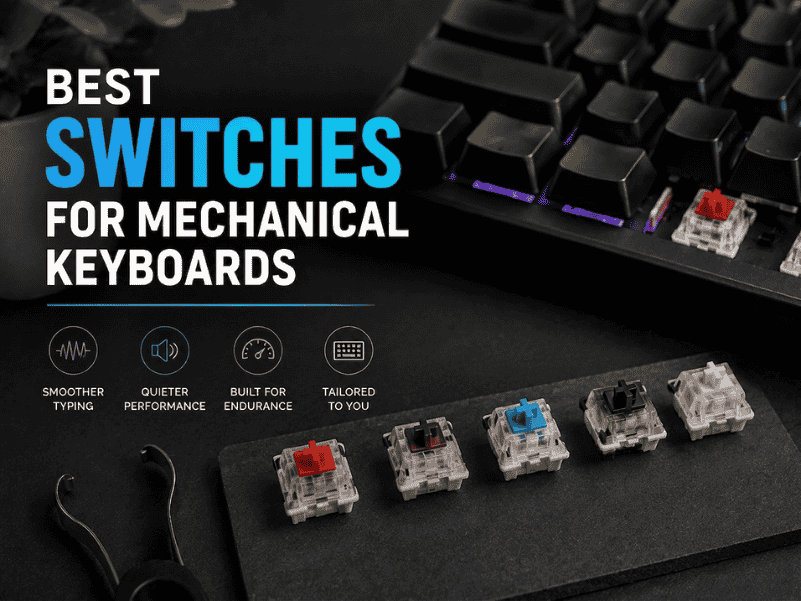
Discover the Best Switches For Mechanical Keyboards to boost typing feel, sound, and durability find your perfect match for every build!
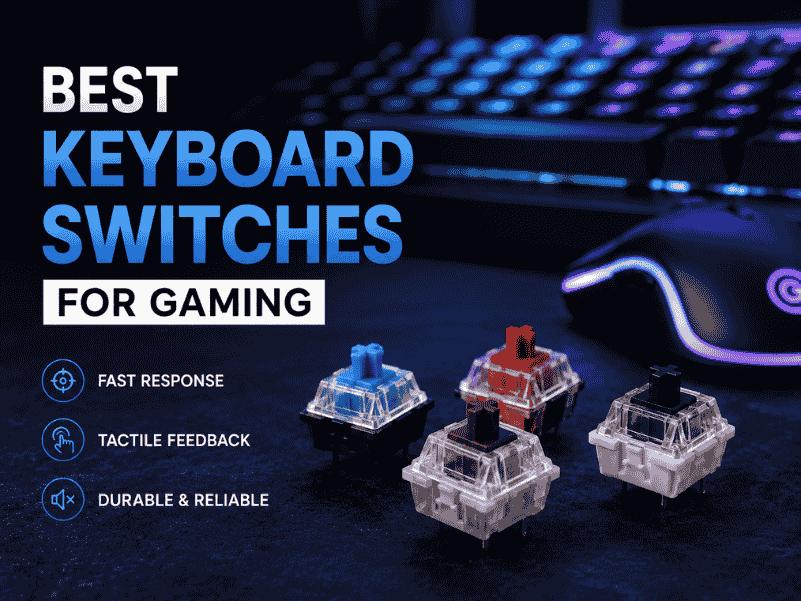
Explore the Best keyboard switches for gaming with lightning-fast actuation, crisp feedback, and durable builds elevate your play and dominate every match!
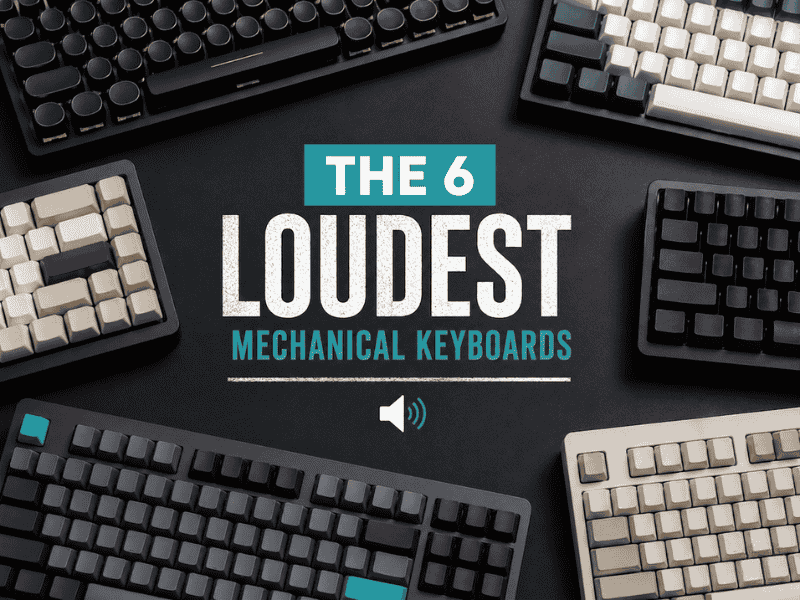
Explore the 6 loudest mechanical keyboards in 2026, their sound profiles, switch types, and what makes them perfect for clacky keyboard enthusiasts.
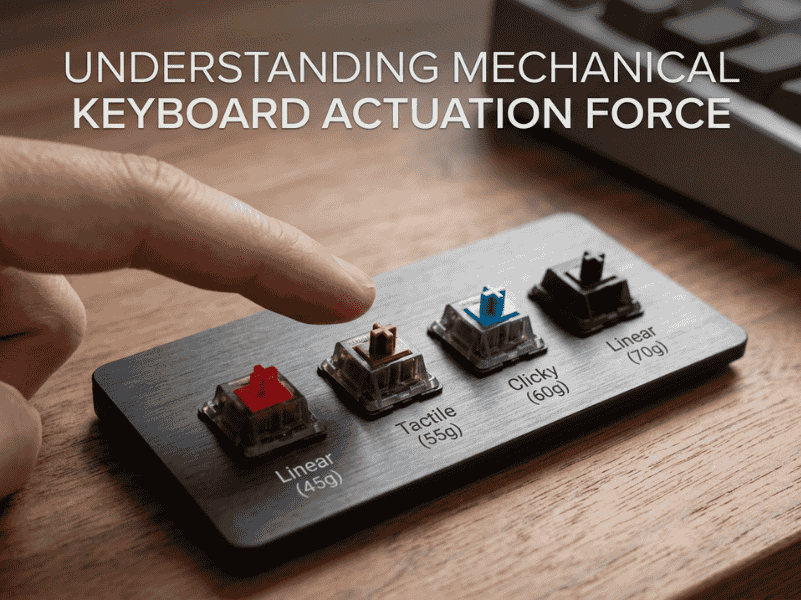
What is a mechanical keyboard switch’s actuation force, why it matters, and how it affects typing and gaming performance.