
If you spend eight hours a day in an IDE, your keyboard is not a cosmetic choice. It is the one piece of hardware your hands touch more than anything else you own, and a bad one will slow you down, wear out your wrists, or just quietly annoy you every time you hit Ctrl+Shift+P for the hundredth time that day.
We put this roundup together by digging through what programmers actually recommend to each other, not what gaming sites recycle onto every “best keyboard” roundup. That means weighing things coders care about and gamers mostly don’t: whether a compact layout still gives you your F-row for debugging, how a switch holds up over a long session instead of a five-minute demo, whether QMK or VIA remapping is any good, and whether the board plays nicely across macOS, Windows, and Linux since a lot of us hop between all three.
Below you will find picks across every budget and layout, from a genuinely affordable hot-swap board to a full-aluminum flagship built to last for years. Whatever your setup looks like, there is something here that will actually make your workday better.
Quick Picks – Best Keyboards for Programming at a Glance
Check Price
Check Price
How We Chose These Keyboards
We are not going to pretend we sat down and typed on all eight of these boards for a week each. That’s not how this roundup came together, and pretending otherwise would not do you any favors. What we did instead is spend real time digging into the details that actually matter for a programmer, and cross-checking them until we were confident in what we were recommending.
We started with specs that matter for coding, not gaming. Every board here was checked for full arrow keys, a working F-row, and sane modifier placement, since losing any of those makes debugging miserable. Boards that shave off keys programmers actually reach for got dropped before they ever made the shortlist.
We verified switch and layout details straight from the manufacturer. Marketing copy loves to blur the line between “supports QMK” and “has its own proprietary app that looks kind of like QMK.” We went to the actual product manuals and spec sheets for each board to confirm what is real, which is also why you will see us call out when a budget pick uses its own driver software instead of true QMK/VIA.
We weighed community feedback and long-term reliability, not launch-week hype. A board that looks great in a first-impressions video and then develops stabilizer rattle three months in is not a real recommendation. We looked at how each keyboard is talked about after people have lived with it, not just when it is new.
We brought real switch and keycap experience to the judgment calls. One of us actually lubes switches by hand (Krytox 205g0 on linears, Tribosys 3203 on tactiles) and swaps keycap sets regularly, so when we talk about stock switch feel, factory lube quality, or hot-swap convenience, that is coming from hands-on familiarity with what good and bad feel like, even on boards we have not individually tested.
We were honest about the gaps. If a category is missing, like an ergonomic or split option, we say so instead of forcing a mediocre pick into a slot just to check a box.
The result is a list built on verified specs, real community track record, and genuine switch and keycap knowledge, not a guess dressed up as a test.
The 8 Best Keyboards for Programmers
1. Best Overall: Keychron Q1

Image credit: (Amazon)
The Keychron Q1 Max earns the top spot for one simple reason: it does not force you to compromise on anything a programmer actually needs. Full function row, dedicated arrow keys, and a build quality that will genuinely outlast your current job. This is the board we point to when someone asks “just tell me which one to buy.”
The full aluminum CNC case gives it a dense, planted feel on your desk, and the double-gasket mount design means it absorbs shock instead of transferring every keystroke straight into your wrists. It ships with Gateron Jupiter switches that are already well-lubed from the factory, but the hot-swap sockets mean you are never locked into the stock feel. If you decide linears are not for you six months from now, swapping to tactiles is a ten-minute job with no soldering.
Where it really separates itself for coding is the QMK/VIA support. You can remap keys, build layers for symbols you use constantly, and set up a completely different layout for Mac versus Windows if you bounce between machines. That last part matters more than people expect. A lot of programmers work across operating systems during the week, and having one board that adapts instead of fighting you is a real quality-of-life upgrade.
True QMK/VIA with per-OS layouts
Full aluminum build, real acoustic dampening
Hot-swap sockets, nearly any switch
Reliable wireless across all three modes
Too heavy to travel with
Premium price for a first board
Who it’s for: Programmers who want to buy one keyboard and be done thinking about it for years. If you already know you type for a living and plan to keep this desk setup for a while, this is where your money should go first.
2. Best Splurge / Premium Alternative: NuPhy Halo75 V2

Image credit: (Amazon)
If the Q1 Max is the safe, no-nonsense pick, the Halo75 V2 is for the programmer who wants that same level of build quality but also wants their setup to look like something out of a keyboard forum showcase. It does not sacrifice function for style though, which is why it earns its own spot instead of just being a runner-up.
The aluminum top case and semi-transparent bottom shell give it a distinct look, especially with the Halo lighting system running underneath. But under the RGB, this is a genuinely serious board. It supports full tri-mode wireless, comes with a real sound-dampening stack (plate foam, PCB foam, bottom silicone), and ships with a switch selection that ranges from ultra-light linears to silent options, so you are not stuck with one factory feel. NuPhy also nailed the software side here: QMK/VIA works cleanly across Mac, Windows, and Linux, with a dedicated OS toggle that switches your function row automatically.
Battery life is where it quietly wins too. NuPhy rates it around 300 hours with the lights off, which is more than enough to go a couple of weeks without reaching for the cable.
Full QMK/VIA, clean multi-OS support
Real sound-dampening stack, not just foam for show
Long battery life with lights off
Multiple switch options at purchase
RGB and looks come at a price premium
Translucent case is a love-it-or-hate-it look
Who it’s for: Programmers who want Q1 Max-level seriousness but also want their desk setup to look intentional, not just functional.
3. Best Value: Keychron V1 Max

Image credit: (Amazon)
The V1 Max is the board we point to when someone says “I want the real enthusiast experience, but I don’t need the flagship price tag.” It shares the same 75% layout, gasket mount, and QMK/VIA foundation as the Q1 Max, just wrapped in a lighter ABS housing instead of full aluminum. For most programmers, that trade is an easy one to make.
You still get hot-swap sockets, so the stock Gateron Jupiter switches are a starting point, not a life sentence. The gasket mount and sound-absorbing foam mean it does not feel cheap under your fingers, even without the metal shell. And critically, it keeps everything that actually matters for coding: full QMK/VIA remapping, per-OS layout switching, and tri-mode wireless that works reliably across Bluetooth, 2.4GHz, and wired.
This is also a smart pick if you are still figuring out what you like. Since it is meaningfully cheaper than the aluminum picks above, it is a lower-risk way to find out whether you prefer linears or tactiles, whether hot-swapping is something you will actually use, and whether a 75% layout fits your workflow before you spend more on a premium build.
Full QMK/VIA and per-OS layouts
Hot-swap sockets, same as pricier boards
Reliable tri-mode wireless
Noticeably cheaper than aluminum options
ABS housing feels less premium than metal
Slightly more flex in the case under heavy typing
Who it’s for: Programmers who want the full enthusiast feature set without flagship pricing, or anyone using their first hot-swap board to figure out what they actually like.
4. Best Budget: AULA F75 Pro

Image credit: (Amazon)
The AULA F75 Pro is proof that you don’t need to spend enthusiast money to get a hot-swap board that feels genuinely good under your fingers. It is the pick for anyone who wants to dip a toe into the mechanical keyboard hobby without committing serious cash to something they might not stick with.
For the price, the build quality is surprisingly solid. The gasket mount setup and pre-lubed Reaper linear switches give it a smooth, quiet-ish typing feel that punches above its price point, and the hot-swap sockets mean you can experiment with different switches later without buying a new board. Tri-mode wireless (Bluetooth, 2.4GHz, and USB-C) covers you across a desktop, laptop, and tablet without needing to keep it tethered.
One thing worth being upfront about: this board runs on AULA’s own driver software, not QMK or VIA. That means you get remapping and lighting control, but not the open-source flexibility or cross-platform browser-based configuration that the pricier boards above offer. If programmability is your top priority, this is the one board here where you are trading it for price.
Hot-swap sockets at a budget price
Pre-lubed switches, smooth out of the box
Tri-mode wireless, works everywhere
Solid gasket-mount feel for the cost
No QMK/VIA, proprietary software only
Software is less polished than open-source firmware
Who it’s for: Programmers testing the waters with their first mechanical keyboard, or anyone who wants hot-swap flexibility without spending enthusiast money.
5. Best for Office / Multi-Device: Logitech MX Mechanical

Image credit: (Amazon)
The MX Mechanical is for the programmer who wants a genuinely good typing feel but has zero interest in tinkering with switches, firmware, or gasket mounts. This is Logitech doing what Logitech does best: making something that just works, looks professional, and disappears into your workflow.
The low-profile Kailh switches give it a distinct feel from the taller boards here, closer to a really good laptop keyboard than a traditional mechanical one. It comes in tactile, linear, or clicky variants, and for an office or shared space, the tactile version is the one worth picking since it gives you feedback without the noise. The full-size layout with a built-in numpad is also a real advantage if you do any kind of data work alongside your coding.
Where it earns the “multi-device” half of its title is the Logi Bolt receiver and Bluetooth pairing across up to three devices, with instant switching between them. If you move between a work laptop, a personal machine, and a tablet during the day, this is the board that handles it without a second thought. Battery life is rated up to 15 days with the backlighting on, which is well ahead of most of the hot-swap boards here.
Effortless switching across three devices
Long battery life, up to 15 days lit
Low-profile feel, quiet tactile option
Full-size layout with numpad included
No hot-swap or QMK/VIA support
Locked into Logi Options+ for customization
Who it’s for: Programmers who want a mechanical typing feel without the hobbyist maintenance, especially if you regularly switch between multiple computers.
6. Best Low-Profile / Best for Mac: NuPhy Air75 V2

Image credit: (Amazon)
The Air75 V2 is the board for programmers who love their MacBook’s typing feel but want something with actual switches underneath instead of a butterfly mechanism from a few years back. It takes the low-profile concept and does it properly, with real hot-swappable mechanical switches instead of Logitech’s scissor-style approach.
The low-profile design means shorter key travel and a flatter overall footprint, which pairs naturally with a Mac setup where you are often already used to shallow keystrokes. But unlike the MX Mechanical, you are not locked into whatever switch NuPhy shipped it with. The hot-swap sockets accept other low-profile switches, so you can chase a different feel later without buying a new board. It also runs full QMK/VIA, which means real remapping and layer support, not a stripped-down app experience.
Tri-mode wireless covers Bluetooth, 2.4GHz, and wired, and the connection has been solid across Mac, Windows, and Linux in community feedback, which matters if you are one of those developers who bounces between an M-series laptop and a Linux box during the week.
Real hot-swap on a low-profile board
Full QMK/VIA, not a stripped-down app
Shallow, laptop-like typing feel
Reliable across Mac, Windows, Linux
Fewer low-profile switch options exist
Less travel may feel odd coming from full-height boards
Who it’s for: Mac-leaning programmers who want a laptop-style typing feel with real switches and real programmability underneath.
7. Best Budget Hot-Swap (Programmable): Royal Kludge R75

Image credit: (Amazon)
The R75 fills a gap the AULA F75 Pro leaves open: it is a genuinely budget board that still gives you real QMK/VIA support instead of asking you to trade programmability for price. If remapping keys matters to your workflow and you don’t want to pay premium money for it, this is the board.
The gasket-mounted build uses five layers of sound-absorbing material inside the case, which is more padding than you would expect at this price, and it shows in the typing feel. The stock cream linear switches come factory-lubed and land somewhere between smooth and genuinely creamy, a step up from the scratchy stock switches budget boards usually ship with. Hot-swap sockets mean that stock feel is a starting point, not a limit, and the switches are easy to pull without soldering.
Tri-mode wireless covers Bluetooth 5.1, 2.4GHz, and USB-C, so it works across a desktop and laptop without much fuss. The CNC metal volume knob is a small but nice touch that a lot of boards at this price skip entirely.
Full QMK/VIA at a budget price
Factory-lubed switches, smoother than expected
Heavy sound-dampening for the cost
Hot-swap sockets, easy switch changes
Plastic case feels lighter than aluminum boards
RGB and software polish trail pricier options
Who it’s for: Budget-conscious programmers who still want real remapping and layer support, not just a cheap hot-swap board.
8. Best Non-Mechanical / Quiet Typing: Logitech MX Keys S

Image credit: (Amazon)
This is the one board here that will not satisfy anyone chasing thock or a tactile bump, and that is exactly the point. The MX Keys S is here for the programmer who has tried mechanical keyboards and quietly prefers something else, or who works somewhere a loud keyboard would get them dirty looks across a shared desk.
Instead of switches, it uses Logitech’s scissor-style key mechanism, closer in feel to a really good laptop keyboard than anything else here. The travel is short, the sound is minimal, and the spherical concave keycaps do a surprisingly good job guiding your fingers without you having to look down. It will not replace a mechanical board for someone who loves the hobby side of keyboards, but for pure typing comfort during long stretches of code review or documentation writing, it holds up well.
The full-size layout comes with a numpad, and like the MX Mechanical, it pairs across up to three devices with instant switching via Logi Bolt or Bluetooth. Battery life is rated up to 10 days with backlighting on, stretching to months with it off, so this is not a board you will be charging often.
Quiet, low-travel typing feel
Effortless multi-device switching
Long battery life, low maintenance
Full-size layout with numpad
No mechanical switches or hot-swap
No QMK/VIA, Logi Options+ only
Who it’s for: Programmers who prefer a quiet, laptop-like typing feel over mechanical switches, or anyone typing in a shared space where noise matters.
Best Keyboards for Programming – Buying Guide
Full-size keeps the numpad but pushes your mouse further out. TKL drops the numpad, keeps everything else. 75% is the sweet spot for coding, compact but still gives you the full function row and arrow keys. Anything smaller starts hiding F1-F12 behind a function layer, which gets old fast if you use F5, F9, or F10 while debugging. Don’t go below 75% for serious coding. If you’re still deciding between sizes, our complete keyboard size guide breaks down every layout from full-size down to 40%.
Linear switches are smooth and fast, a solid default for coding. Tactile switches add a small bump for feedback, which can ease fatigue over long sessions. Clicky switches are satisfying alone but disruptive in shared spaces. Hot-swap boards like the Q1 Max, V1 Max, or R75 let you try different families without buying a new keyboard. Want to go deeper on specific switches worth trying? Our best switches for mechanical keyboards roundup covers linears, tactiles, and clickies in detail.
QMK is open-source firmware, VIA is the browser app that lets you remap keys, build layers, and set macros without touching code. For coders, that means things like mapping Caps Lock to Escape for Vim, or building a symbols layer. Boards like the Q1 Max and Halo75 V2 even let you save separate layouts for Mac and Windows. Boards without QMK/VIA, like the MX Mechanical or MX Keys S, still remap through their own apps, just without the open-source flexibility. For a full walkthrough of how the two work together, see our guide to VIA and QMK.
Budget boards like the AULA F75 Pro and RK R75 prove you don’t need to spend much for a decent hot-swap feel, you mostly trade software polish and case material. Mid-range boards add real gasket dampening. Premium boards add build quality and acoustic tuning that matters most if you’re keeping the board for years. None of these eight are split or ergonomic designs, so if wrist strain is a real concern, that’s worth researching separately.
Conclusion
There is no single best keyboard for programmers, only the best one for how you actually work. If you want a board you can buy once and stop thinking about, the Keychron Q1 Max is the safest call. If budget is tight but you still want real hot-swap flexibility, the RK Royal Kludge R75 punches well above its price. And if you have already decided mechanical switches aren’t for you, the Logitech MX Keys S or MX Mechanical will treat you better than fighting a board you don’t actually enjoy typing on.
What matters more than any single pick is matching the layout, switch feel, and programmability to your own day-to-day coding, not chasing whatever looks best in a photo. If wrist comfort matters more to you than compactness, it’s worth reading about Alice layout keyboards, which take a different approach to ergonomics than anything here. Found the one that fits your setup? Grab it before the good color options sell out, your fingers will thank you by week two.
Frequently Asked Questions
There’s no single dominant choice, but 75% mechanical boards with hot-swap sockets and QMK/VIA support have become the default recommendation in most developer communities. Keychron’s lineup shows up constantly in this conversation because it balances programmability, build quality, and price without asking you to build your own board from scratch.
It depends on what you value. Mechanical switches give you more consistent feedback and typically hold up longer under heavy daily use, which matters if you’re typing eight-plus hours a day. That said, boards like the Logitech MX Keys S prove a non-mechanical keyboard can still be a genuinely good choice if you prefer a quieter, lower-travel feel. “Better” here is really about matching the switch to your hands, not one type being objectively superior.
75% is the sweet spot for most programmers. It keeps the full function row and arrow keys, both of which get used constantly for debugging and navigation, while saving real desk space over a full-size board. TKL is a safe alternative if you want a bit more breathing room between keys. Anything smaller than 75% starts hiding function keys behind a layer, which slows you down if you lean on F5, F9, or F10 regularly.
The RK Royal Kludge R75 and AULA F75 Pro both land comfortably under that mark. The R75 is the stronger pick if remapping matters to you, since it supports full QMK/VIA. The AULA F75 Pro trades that for a slightly smoother out-of-box switch feel at a similar price.
75% and TKL layouts are fine, and honestly ideal for most coding work since they keep every key you actually use. Where it gets risky is going smaller, into 65% or 60% territory, where you lose the dedicated function row. That’s workable if you’re comfortable living on a function layer, but it’s an adjustment most programmers don’t need to make.
The NuPhy Air75 V2 is the strongest pick here, with a low-profile feel that suits Mac users and confirmed reliable performance across Mac, Windows, and Linux. The Keychron Q1 Max and NuPhy Halo75 V2 are also solid choices, since both let you save separate keymaps for different operating systems and switch between them instantly.
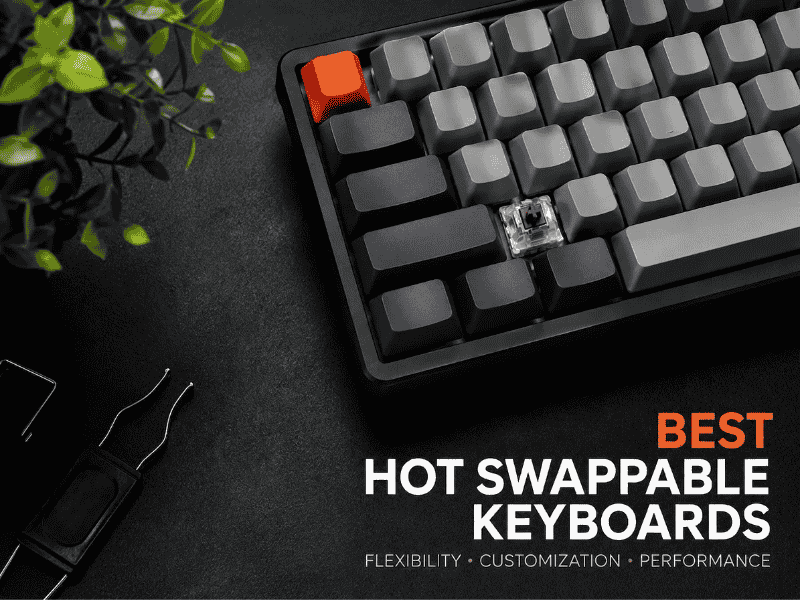
Looking for the Best Hot Swappable Keyboards? We compare socket type, QMK/VIA support, and layout across 8 picks so you buy the right one.
Explore the best budget keyboards with great performance, durability, and style for typing, gaming, and everyday use.
Explore the best 65% keyboards with compact layouts, customizable switches, and premium builds for typing and gaming in tight spaces.
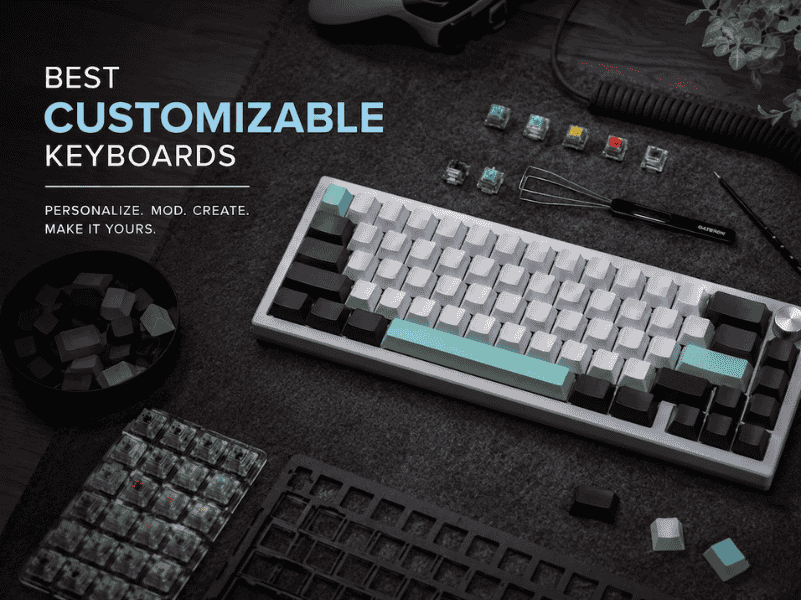
Our guide to the best customizable keyboards of 2026 moves beyond lists. Find your perfect match for typing feel, sound, and workflow.