
Hot-swap sounds simple until you buy a five-pin switch for a three-pin board, or find out the “hot-swappable” keyboard you just ordered is actually Hall Effect and won’t take a single Cherry MX switch. Both mistakes happen constantly, and both are avoidable if the buying guide you’re reading actually explains socket type instead of just slapping “hot-swappable: yes” on a spec sheet.
That’s the gap this guide closes. Every board below was chosen for a specific reason tied to socket type, layout, or budget, not brand recognition. We cross-checked Kailh vs Gateron socket support, three-pin vs five-pin compatibility, north vs south-facing LEDs, and QMK/VIA support for each pick, and we call out where a popular board falls short instead of dressing it up. Prices are shown as tiers ($ , $$ , $$$) rather than fixed numbers, since Amazon pricing on these boards shifts weekly.
How we choose: We prioritize socket correctness and layout fit over brand fame. Every pick lists its socket type, pin support, LED orientation, and firmware compatibility, because that’s what determines whether a hot-swap board is actually useful to you later. We disclose known quality-control caveats rather than smoothing them over, and we flag when a board is manufacturer-direct only versus Prime-eligible.
Quick Comparison: 8 Hot Swappable Keyboards Worth Buying
K10 HE hot-swaps Gateron double-rail magnetic switches only, not standard MX.
8 Best Hot Swappable Keyboards (Reviewed)
1. Keychron Q1 Max – Best Overall

Image credit: (Amazon)
The Q1 Max earns the top spot by refusing to cut corners anywhere that matters. It’s a full-gasket-mount aluminum board with double-shot PBT keycaps, a south-facing 3-pin/5-pin hot-swap socket that takes nearly anything on the market, and genuine QMK/VIA support baked in rather than bolted on as an afterthought. Triple connectivity (2.4GHz, Bluetooth 5.1, wired) means it moves between a work laptop and a personal rig without touching a settings menu, and the CNC-machined case gives it a density that plastic-bodied competitors simply can’t match at any price.
What sets it apart from other “premium” hot-swap boards is how solid the sockets feel in daily use. Keychron rates the connection to handle repeated switch swaps without the socket pulling loose from the PCB, a common failure point on cheaper hot-swap boards. The gasket mount also does real work here, softening the bottom-out feel without turning mushy, which is a balance a lot of gasket boards in this price range still get wrong.
It’s not a board built for portability or for someone who wants to set it up once and never open it again. But for a daily driver meant to be tuned, tweaked, and lived on for years, it’s the clearest all-around pick here.
Dense, well-built aluminum gasket-mount case
True QMK/VIA, no companion app required
South-facing sockets fit 3-pin and 5-pin switches cleanly
Fast switching across three connection modes
Heaviest board here, not travel-friendly
Stock stabilizers rattle slightly out of the box
For anyone new to swapping switches on this board, our hot-swap installation guide walks through the exact process, and the QMK/VIA explainer covers first-time firmware setup.
2. Royal Kludge RK84 – Best Budget

Image credit: (Amazon)
The RK84 earns its spot the honest way: it’s the cheapest board on this list that still gets the hot-swap fundamentals right. You get a real 3-pin/5-pin socket, a full 84-key layout that squeezes in arrow keys and a small function cluster without ballooning into a 96%, and tri-mode connectivity that most budget boards in this price range still skip entirely. For a first hot-swap keyboard, or a beater board for a second desk, it does what it needs to do without asking much in return.
Where it shows its price is software and long-term durability. There’s no QMK or VIA here, only Royal Kludge’s own remapping app, which is functional but nowhere near as flexible as open-source firmware. The north-facing LEDs also mean certain keycap profiles will cast shadows across the legends, something worth knowing before you drop money on a fancier keycap set.
Build quality is solid rather than premium: the plastic case flexes slightly under firm typing, and long-term reviews point to occasional 2.4GHz dropout on some units, though it’s inconsistent enough that it may just be a batch issue rather than a design flaw. None of this makes it a bad board, it just means the RK84 is a starting point rather than a forever board for most people who get serious about the hobby.
Genuine 3-pin and 5-pin hot-swap sockets
84-key layout keeps arrows and navigation without going full-size
Tri-mode wireless at a budget price point
Solid entry board for a first switch-swapping project
No QMK/VIA, remapping is limited to RK’s own app
North-facing LEDs can shadow under certain keycap profiles
If the stock switches feel scratchy out of the box, our lubing guide is a cheap way to noticeably improve the feel before spending on a full switch swap.
3. Glorious GMMK 3 – Best for Modular Customization

Image credit: (Amazon)
The GMMK 3 sits in a category by itself among these picks: it’s the only board here built around the idea that you shouldn’t have to buy a new keyboard just to change how it sounds or feels. Nine points of modularity mean the top case, gasket set, switch plate, and even the badge can all be swapped independently, so the same frame can go from soft and cushioned to stiff and poppy without touching the PCB. The 5-pin MX hot-swap sockets take Glorious’s own switch lineup as well as third-party options from Gateron, Kailh, and Cherry, and the aluminum switch plate underneath gives it a denser, more grounded typing feel than most boards in its price range.
The tradeoff is software. Glorious Core handles remapping and lighting, and it works, but it’s a proprietary app rather than open-source firmware, so anyone coming from a QMK/VIA board will find it more limited on macros and layers. It’s also wired only, which rules it out for anyone specifically shopping for a wireless setup.
Where it earns its keep is as a long-term project board rather than a plug-and-play daily driver. Most keyboards here are meant to be bought once and used as-is; the GMMK 3 is built to be reopened every few months as your taste in switches, gaskets, or sound profile changes, which is a genuinely different use case than the rest of this lineup covers.
Nine independently swappable components
5-pin MX sockets fit nearly any switch brand
Aluminum switch plate adds a denser typing feel
Designed to be reopened and rebuilt repeatedly
No QMK/VIA, Glorious Core only
Wired only, no wireless option
For anyone planning to treat this as a first real custom build rather than just a hot-swap board, our custom keyboard building guide is a good next stop before ordering extra parts.
4. Keychron V5 Max – Best Wireless with Numpad

Image credit: (Amazon)
Most 75% and TKL boards quietly drop the numpad to save desk space, which is fine until you’re the person who actually uses it for spreadsheets or accounting work. The V5 Max solves that without forcing a jump to a bulky 104-key layout. It keeps a compact 96% footprint, tucking the numpad and navigation cluster in tight while still leaving room for a proper hot-swap socket underneath every key.
Connectivity is where this board pulls ahead of similarly priced options. Bluetooth 5.1 pairs with up to three devices, 2.4GHz stays steady enough for fast typing sessions, and the wired mode is there for anyone who just wants zero-latency input without thinking about battery life. QMK and VIA come standard, so remapping the extra numpad keys or building custom layers takes a few minutes in a browser tab rather than a proprietary app.
The south-facing sockets accept both 3-pin and 5-pin switches cleanly, and the internal steel plate keeps flex to a minimum despite the ABS plastic case and the extra width needed for the numpad. The one real compromise is size: this isn’t a board for a cramped desk, and anyone who’s used to a smaller footprint will notice the extra reach required to hit the mouse.
Full numpad without a bulky 104-key footprint
Reliable tri-mode wireless across three paired devices
Native QMK/VIA support
South-facing sockets fit 3-pin and 5-pin switches
Wider than most boards here, needs real desk space
Heavier than a typical 75% or TKL layout
For anyone who’s never remapped a key before, VIA runs entirely in the browser, no downloads or firmware flashing required to get started.
5. Womier ERA75 – Best Budget QMK/VIA

Image credit: (Amazon)
Budget hot-swap boards almost always force a choice: cheap and simple, or programmable and pricier. The ERA75 is one of the rare exceptions. It ships with full QMK and VIA support at a price point that usually only buys proprietary software, which makes it the easiest recommendation here for anyone who wants real firmware control without paying premium prices to get it.
The build backs up that value. A full aluminum shell replaces the plastic cases common at this price tier, and the gasket-mounted structure gives typing a bit of give rather than the harsh, direct feel budget boards tend to have. Tri-mode connectivity covers Bluetooth, 2.4GHz, and wired, and the 3-pin/5-pin sockets handle switch swaps without fuss. Pre-lubed POM switches come installed out of the box, which is a small touch that saves new hobbyists from an early lubing project they didn’t ask for.
The one gap is transparency rather than performance: Womier hasn’t published LED orientation for this board in any spec sheet we could find, so anyone picking keycaps specifically for backlight visibility should confirm that detail before ordering rather than assuming either direction.
Full QMK/VIA at a genuinely budget price
Aluminum gasket-mount build, uncommon at this tier
Pre-lubed POM switches installed from the factory
Tri-mode wireless with clean 3-pin and 5-pin sockets
LED orientation not disclosed by the manufacturer
Lighter feel than pricier aluminum boards here
For anyone weighing this against pricier QMK/VIA boards in this lineup, the ERA75 proves the feature isn’t reserved for the premium tier anymore, it’s simply a matter of picking the right budget brand.
6. GMMK PRO Barebones – Best First Custom Build

Image credit: (Amazon)
The GMMK PRO Barebones is aimed at a different kind of buyer than most hot-swap keyboards. It skips switches and keycaps entirely and hands you a bare aluminum frame, PCB, and plate, meaning the build starts from a blank canvas rather than something pre-assembled. For anyone curious about what goes into a custom keyboard beyond just swapping a switch here and there, this is the cheapest legitimate entry point into that process.
Despite the stripped-down package, the fundamentals are solid. The 5-pin hot-swap sockets accept nearly any MX-style switch, the CNC-machined aluminum body has real heft compared to injection-molded plastic cases, and QMK/VIA support means the firmware side is handled the moment switches and keycaps go in. There’s no wireless mode and no included accessories beyond the frame itself, so budget in switches, stabilizers, and keycaps as separate purchases before totaling up the real cost.
It rewards patience more than convenience. Someone wanting a keyboard ready to type on out of the box should look elsewhere; someone wanting to actually learn how a keyboard goes together will get more out of this than any prebuilt board can teach.
Genuine entry point into full custom builds
CNC aluminum frame at a barebones price
Native QMK/VIA support once assembled
5-pin sockets fit nearly any MX switch
No switches, keycaps, or stabilizers included
Wired only, no wireless connectivity
Total cost climbs fast once switches and keycaps are added, so it’s worth pricing out the full build before committing.
7. NuPhy Halo75 V2 – Best Value Wireless QMK/VIA

Image credit: (Amazon)
The Halo75 V2 slots in as the wireless counterpart to the barebones build above, aimed at someone who wants QMK/VIA flexibility but has no interest in assembling anything themselves. It arrives fully built with a unibody aluminum frame, a semi-transparent bottom case that lets the side lighting bleed through, and a gasket mount that keeps the typing feel closer to premium boards than its price would suggest.
Where it earns the “value” label is firmware. Open-source QMK/VIA support is standard here, not an upsell, and it pairs with genuinely fast wireless performance: a 1000Hz polling rate on both 2.4GHz and wired connections, which is unusual at this price and noticeably tighter than the input lag found on most budget wireless boards. South-facing LEDs shine cleanly through PBT keycaps without the shadowing issues that show up on north-facing budget alternatives, and the 3-pin/5-pin sockets take switches without any fitment surprises.
Battery life is the standout spec on paper, though NuPhy’s own numbers vary widely depending on lighting settings, so real-world use will land somewhere well short of the highest advertised figure with RGB running. The keyboard also skips a wrist rest entirely, which matters more on a board this tall given the aluminum case height.
Aluminum unibody frame with gasket mount
Native QMK/VIA support out of the box
1000Hz polling on wireless and wired modes
South-facing LEDs shine cleanly through keycaps
Battery life drops significantly with RGB on
No wrist rest included despite the case height
The bottom line for a board that costs less than most QMK/VIA competitors but doesn’t feel like it: proof that wireless and programmable no longer have to mean expensive.
8. Keychron K10 HE – Best Full-Size Rapid Trigger

Image credit: (Amazon)
The K10 HE closes out this guide with a different flavor of hot-swap entirely, and it’s worth reading closely before buying. This board takes Hall Effect magnetic switches, specifically Gateron’s double-rail design, rather than standard mechanical MX switches. That means none of the Cherry, Gateron, or Kailh MX switches mentioned elsewhere on this list will physically work here. What you’re buying instead is adjustable actuation and rapid trigger, features that let competitive typists and gamers fine-tune how far a key needs to travel before it registers, something no MX board here can replicate.
The full-size 100% layout keeps the numpad intact for anyone who needs it daily, and tri-mode connectivity rounds out a board clearly built for people who want one keyboard covering both spreadsheet work and fast-paced gaming. QMK support runs through Keychron’s Launcher web app, letting actuation points and rapid trigger sensitivity get tuned per key rather than applied as one blanket setting across the board. North-facing LEDs are the one carryover from older Keychron boards, which means shine-through keycap sets will cast a slight shadow compared to south-facing alternatives higher up in this guide.
Anyone drawn to this board specifically for the “hot-swappable” label should slow down and confirm that magnetic switches are actually what they’re after, since the appeal here is precision tuning rather than the switch variety that defines the rest of this lineup.
Adjustable actuation and rapid trigger per key
Full-size layout keeps the numpad intact
QMK-based tuning through Keychron Launcher
Tri-mode connectivity across wired and wireless
Only compatible with Gateron double-rail magnetic switches, not MX
North-facing LEDs shadow under shine-through keycaps
Worth remembering before buying: this is a magnetic hot-swap board, not an MX one, and the two aren’t interchangeable no matter how similar the spec sheets look at a glance.
What Hot-Swappable Really Means
“Hot-swappable” gets used loosely enough in product titles that it’s worth pinning down exactly what it does and doesn’t promise. At its core, a hot-swap keyboard replaces the soldered connection between switch and PCB with a small plastic socket. Push a switch’s pins into that socket and it clicks into place; pull it out with a switch puller and a different one clicks in just as easily. No soldering iron, no desoldering pump, no risk of frying a circuit board in the process.
The detail that trips people up is pin count. Switches come with either three legs or five legs on the underside. Three-pin switches have only two metal contact pins; five-pin switches keep those same two metal pins and add two plastic support legs for stability inside the housing. A 5-pin socket accepts both types without issue. A 3-pin-only socket, still common on some budget boards, will physically reject a 5-pin switch unless those extra legs are clipped off first, which is a workaround rather than a real fix. Every board reviewed above lists its pin support for exactly this reason.
Socket orientation matters just as much as pin count. LEDs mounted north-facing sit above the switch, closer to the function row; south-facing LEDs sit below it, closer to the spacebar. This affects how light interacts with certain keycap profiles, particularly shine-through legends, more than it affects anything mechanical.
None of this touches Hall Effect or magnetic hot-swap, which works on a completely different principle and isn’t interchangeable with standard MX sockets, covered in more detail in the comparison below.
For a closer look at pin types and how they sit inside the housing, our switch leaves breakdown covers the anatomy in more depth.
MX Hot-Swap vs Hall Effect Hot-Swap: Not the Same Thing
Both get marketed under the same “hot-swappable” label, which is exactly why so many buyers end up disappointed. The two technologies solve different problems and aren’t interchangeable, even when the boards look nearly identical from the outside.
Standard MX hot-swap uses a mechanical switch with metal contact pins that physically touch when pressed, completing a circuit. Every board here except the K10 HE uses this system, and it’s what makes the massive third-party switch market, Cherry, Gateron, Kailh, and dozens of boutique brands, work interchangeably across brands and boards.
Hall Effect hot-swap, the system inside the K10 HE, replaces the mechanical contact with a magnet and a sensor that reads how close the magnet gets as the key travels down. Nothing physically touches to register a keystroke, which is what allows adjustable actuation points and rapid trigger, features no MX switch can replicate no matter how it’s lubed or modded. The tradeoff is compatibility. Hall Effect sockets only accept magnetic switches built for that specific sensor type, so a drawer full of Cherry MX Reds is useless on a Hall Effect board, and a magnetic switch won’t work in an MX socket either.
The one-line test: if a listing says “hot-swappable” without specifying MX or Hall Effect, check the switch compatibility section before buying. Boards built for competitive gaming or rapid trigger are almost always Hall Effect, everything else in this guide is standard MX.
Neither system is objectively better, they’re built for different priorities. MX hot-swap wins on switch variety and community support. Hall Effect wins on precision tuning for gaming. Buying the wrong one for your use case is the single most common regret in this category, which is why the K10 HE review above calls this out directly rather than leaving it to a spec sheet footnote.
Buying Guide: What Actually Matters in a Hot-Swap Keyboard
With eight solid options above, the harder question is usually which specs matter for your specific setup. Here’s what to weigh before checking out.
A 65% or 75% board saves desk space and keeps arrow keys, a full 96% or 100% adds a numpad back, and a true TKL sits in between. Anyone doing spreadsheet or accounting work should lean toward the numpad layouts covered here rather than fighting a smaller board for a feature they’ll use daily.
Wireless adds freedom to move a mouse further out or clear desk clutter, but it also adds battery management and, on cheaper boards, occasional input lag under heavy multitasking. Competitive gaming setups still lean wired for the most consistent polling, though several boards in this lineup close that gap with high-polling wireless modes.
Before comparing sound or feel, confirm the socket type matches switches already owned or planned. A 5-pin socket accepts both 3-pin and 5-pin switches, a 3-pin-only socket rejects 5-pin switches outright unless the extra legs get clipped. This single spec determines how much of the switch market stays open later.
Open-source firmware means remapping, macros, and layers happen in a browser tab with no software install, and it rarely gets abandoned by the manufacturer years down the line. Proprietary apps work fine day to day but tend to lag behind in updates and sometimes disappear entirely if a smaller brand stops supporting them.
Stock stabilizers on nearly every board in this price range rattle slightly out of the box, that’s normal, not a defect. Lubing them is a cheap fix that makes a bigger difference to sound and feel than switching to a pricier switch. Boards with factory-lubed stabilizers, like the pricier picks here, start ahead but still benefit from a touch-up after a few months of use.
A barebones board looks cheaper on the price tag, but switches, keycaps, and stabilizers add up fast, often bringing the real total close to or above a prebuilt board in the same tier. Barebones only makes sense as a genuine value pick if switches or keycaps are already owned, otherwise a prebuilt board is usually the better deal.
Conclusion: Which One Should You Actually Buy
If you want one board that does everything well, the Keychron Q1 Max earns that spot. Watching every dollar, the Royal Kludge RK84 covers the fundamentals cheaply. Want programmability without paying premium prices for it, the Womier ERA75 hits that gap better than anything else here. All eight boards above solve a different problem, pick based on your layout, budget, and whether QMK/VIA actually matters to your workflow.
Prices and stock checked 14 Aug 2026. Bookmark this page ahead of Black Friday and Cyber Monday, we track price drops on every board listed here and update this guide as deals go live.
Frequently Asked Questions
For most people, yes. Hot-swap adds a small premium over an identical soldered board, but it removes the biggest barrier to trying different switches, a soldering iron and the risk of damaging the PCB. Anyone who thinks they might want to change switches even once down the line comes out ahead with hot-swap.
Only if the pin count matches. A 5-pin socket accepts both 3-pin and 5-pin switches, but a 3-pin-only socket rejects 5-pin switches unless the extra plastic legs are clipped first. Check the socket type before buying switches separately, it’s covered in the pin comparison above.
No meaningful difference in feel comes from the socket itself. Any perceived difference usually comes from the switch choice, lubing, or stabilizer tuning, not from whether the switch is soldered or hot-swapped.
Most major brands, including several featured here, explicitly allow switch swapping without voiding the warranty, since it’s a designed feature rather than a modification. Always check the specific manufacturer’s policy, but this is generally safer than most buyers assume.
Hot-swap sockets and QMK/VIA firmware are two separate features that don’t automatically come together. A board can have hot-swap sockets while still running closed, proprietary software for remapping, which is exactly the case with a few budget picks in this lineup.
No. Hall Effect switches and MX switches use physically different socket designs and aren’t interchangeable in either direction. This is the single most common point of confusion covered in the MX vs Hall Effect section above.
Not required, but it’s a cheap upgrade that noticeably smooths out most factory switches. Pre-lubed switches, like the ones on a couple of picks above, skip that step, but even those can benefit from a light touch-up after months of use.
Neither is objectively better, it comes down to keycap compatibility. South-facing is generally safer for shine-through and modern keycap sets, while north-facing can cause shadowing on certain profiles, a tradeoff mentioned throughout the reviews above.

Explore the best budget keyboards with great performance, durability, and style for typing, gaming, and everyday use.
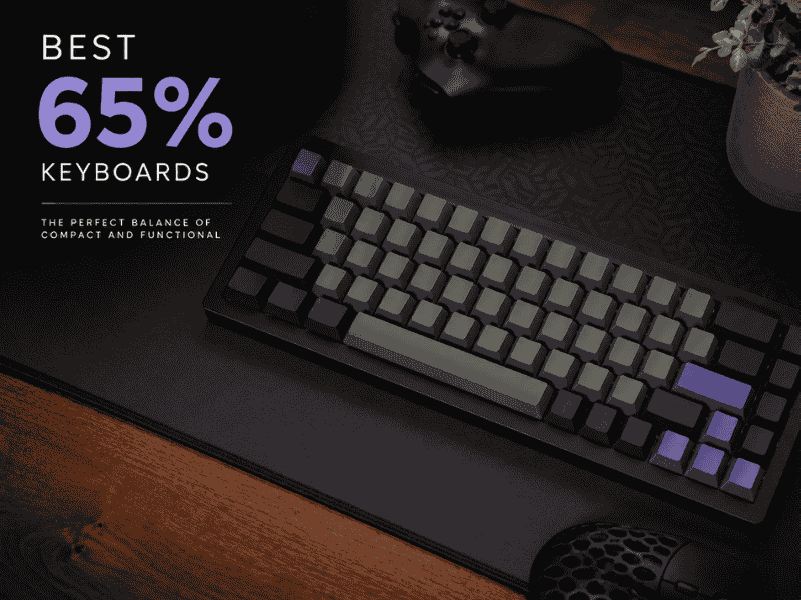
Explore the best 65% keyboards with compact layouts, customizable switches, and premium builds for typing and gaming in tight spaces.
We tested the specs, not just the hype. See our picks for the best keyboards for programmers in 2026, budget to premium, Mac to Linux.
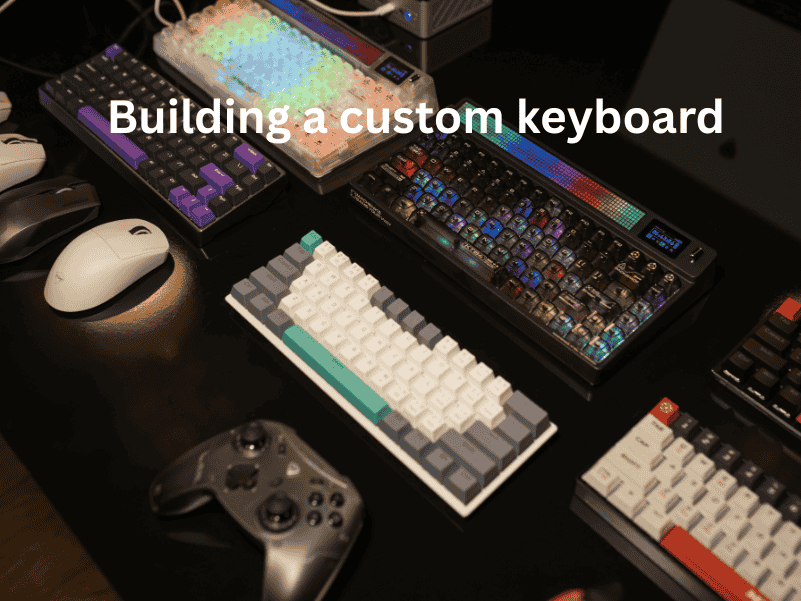
How to build a custom keyboard: step-by-step assembly guide, component selection tips, and customization tricks for your perfect typing setup.