
Last updated on June 24th, 2026 at 09:44 am
Typing with long nails sounds like it should be simple. Your nails are an extension of your fingers so why does every standard keyboard seem to work against them, catching your gel polish, triggering accidental keypresses, and turning a normal typing session into a slower, more frustrating one?
The problem is that most keyboards are engineered for fingertip typing, not nail-tip typing. The average keycap is designed with a concave dish that works perfectly when your fingertip rolls naturally into the center of the key. Long nails whether acrylics, coffin extensions, stilettos, or grown-out natural nails change that contact geometry completely.
In this guide, we’ve put together the 7 best keyboards for long nails in 2026, organized by use case and nail type, so you can stop guessing and start typing comfortably. Whether you’re rocking almond acrylics at the office or coffin extensions at a gaming desk, there’s a setup on this list that will work for you.
What Makes a Keyboard Good for Long Nails?
The best keyboards for long nails share four core characteristics that separate nail-friendly boards from frustrating ones.
Key Travel Distance is the most critical factor. Traditional mechanical keyboards have 4mm of total key travel, meaning your finger (and your nail) has to press down a significant distance before the key registers. Low-profile keyboards reduce this to between 3mm and 3.5mm, which puts your hands closer to the desk surface and naturally reduces the awkward angle at which long nails strike the keycap edge.
Keycap Shape matters more than most buyers realize. Standard keycaps have a square profile with sharp corners that can catch the underside of extended nails mid-keystroke. Round or “squircle” keycaps, popularized by keyboards like the Logitech POP Keys, eliminate those corners entirely, giving your nails a cleaner, glancing contact with each key rather than a sharp snag.
Switch Type affects both nail safety and noise. Clicky switches (like Cherry MX Blue) require a firm actuation force that can jar against an extended nail at an unnatural angle. Linear switches (smooth press, no tactile bump) and tactile switches (bump, but no audible click) are both significantly easier on long nails.Low-profile tactile switches in particular pair a noticeable mid-press bump with a much shorter vertical travel than standard switches, which makes them a strong fit for anyone who types with the tip of the nail rather than the finger pad.
Key Spacing determines how often you’ll accidentally trigger adjacent keys. Keyboards with wider gaps between keycaps, including most full-size and TKL layouts, give your nails more margin for error. Compact 60% layouts can feel cramped for longer nails, especially on the right side of the board.
Quick Comparison: All 7 Keyboards at a Glance
The 7 Best Keyboards for Long Nails
1. NuPhy Air75 V2 – Best Overall
A gasket-mounted low-profile mechanical keyboard with PBT keycaps and Gateron switches that delivers a genuinely nail-friendly typing experience right out of the box.

Image credit: (Gmeone)
The NuPhy Air75 V2 earns the top spot because it solves the two biggest problems long-nail typists face: key height and keystroke shock. Its Gateron Low-Profile 2.0 switches sit just above the desk surface, which means your hands stay naturally flat rather than elevated at an angle that forces nail-edge contact with the keycap sides.
The gasket mount design, rare in this price range, adds a layer of cushioning under the PCB so each keystroke absorbs impact before it reaches your fingertips. For anyone who has experienced that dull ache in their nail bed after a long typing session, this is a meaningful difference.
The double-shot PBT keycaps have a smooth matte texture that is gentler on nail tips than the glossier ABS caps found on cheaper boards, and the hot-swappable switch sockets mean you can fine-tune the feel to match your exact nail length and typing style without buying a new board. QMK/VIA firmware support adds full key remapping for users who want to go further.
-
Low profile keeps wrists flat and reduces nail-edge contact on keycap sides
-
Gasket mount cushions every keystroke and eases impact on the nail bed
-
Hot-swappable switches let you fine-tune feel without resoldering
-
PBT keycaps resist shine and are gentler on gel and acrylic surfaces
-
Exceptional battery rated up to 220 hours with backlight off
-
No media knob (added in the V2 generation)
-
Wrist rest is sold separately
Best for: Stiletto, almond, or coffin nail shapes; daily work typists; anyone who wants mechanical feel without full-height key travel.
2. Logitech MX Keys S – Best for Office and Mac Users
A premium scissor-switch keyboard with perfectly spaced, slightly concave keys that work exceptionally well for finger-pad typing style with long nails.

Image credit: (Amazon)
The Logitech MX Keys S is the go-to recommendation for long-nail typists who predominantly use the finger-pad technique, pressing keys with the fleshy underside of the finger rather than the nail tip itself. The keys are slightly concave and well-spaced, making it easy to hit each key squarely without your nail edges clipping adjacent caps.
Logitech’s own research on typing with long nails, led by the company’s Human-Computer Interface team, identifies finger-pad typing as a common adjustment for people with square or coffin-shaped nails, and recommends low-profile, laptop-style keyboards for exactly this reason: minimal key travel and a flatter profile let the hand rest closer to the surface, which keeps the nail elevated and away from neighboring keys. The MX Keys S fits this profile closely, with reduced key travel of just 1.8mm that keeps your hands close to the desk and your nail tips elevated and away from the keycap edges.
The backlit, concave keycaps on the MX Keys S also have a premium feel that doesn’t scratch gel finishes, and the full-size layout gives your hands maximum spacing between keys. It’s compatible with macOS, Windows, and up to three devices simultaneously via Bluetooth.
-
Concave keycap shape guides fingers to center, reducing nail-edge contact
-
Spacious full-size layout lowers the chance of clipping nearby keys
-
Up to 10 days of battery life on a single charge with backlight on
-
Connects to three devices at once with easy Bluetooth switching
-
Smooth keycap finish is gentle on gel and acrylic nail surfaces
-
No numpad-free version offered, so desk footprint is larger than necessary for some
-
Scissor-switch feel lacks the tactile feedback some mechanical-keyboard users prefer
Best for: Office typists; Mac users; square or coffin nails; finger-pad typing style.
3. Logitech POP Keys – Best Round Keycaps
The round typewriter-style keycaps on the POP Keys make it one of the most forgiving keyboards for long-nail typists who struggle with corner-catching on standard square keycaps.

Image credit: (Amazon)
The Logitech POP Keys is the most visually distinct keyboard on this list, and for long-nail typists, that distinctive round keycap shape is more than aesthetic. As Bustle’s keyboard roundup notes, the round keys help prevent typos by eliminating the corners that long nails would otherwise catch on, giving you a cleaner contact point regardless of nail shape.
One important caveat: the POP Keys uses Kailh clicky tactile switches, which require slightly more deliberate key presses than linear switches. For very long stiletto nails, the elevated keycap height can still present some challenges. This keyboard shines for medium-length nails, including coffin, ballerina, or natural long, where the round keycap shape is the primary issue rather than key travel depth.
The compact TKL layout eliminates the numpad, which reduces total desk footprint and gives your right hand more mouse room. Available in four fun colorways if desk aesthetics are part of your setup.
-
Round keycaps eliminate sharp corners that snag long nails
-
TKL layout frees up desk space and mouse room
-
Long battery life rated up to 3 years on two AAA batteries
-
Connects to multiple devices with Bluetooth switching
-
Distinct retro look stands out from typical office keyboards
-
Clicky switches require firmer, more deliberate presses than linear options
-
Elevated keycap height can still challenge very long stiletto nails
Best for: Coffin and ballerina nail shapes; users who want a fun, colorful desk setup; medium-length nail lengths.
4. AZIO Cascade Slim – Best Low-Profile Mechanical
A compact low-profile mechanical keyboard with a hot-swappable Gateron switch platform, aluminum top plate, and built-in dual foam damping that punches well above its lesser-known brand status.

Image credit: (Amazon)
The AZIO Cascade Slim earns its spot as the enthusiast’s pick because it does something genuinely rare for its price: it pairs hot-swappable Gateron Low-Profile switches with a built-in dual layer of silicone and EVA foam dampers, which absorbs the bottoming-out impact that can jar against extended nail beds during long typing sessions. That combination, typically found only on more expensive boards, makes each keystroke noticeably softer at the bottom of the stroke rather than delivering a sharp hard stop.
At 27.5mm tall, the Cascade Slim sits close enough to the desk to keep your hand angle naturally flat. Three adjustable feet positions (4, 6, or 9 degrees) let you fine-tune the tilt to the exact angle that keeps your nail tips clear of the keycap edges, which is more ergonomic flexibility than most boards at this price offer. The hot-swap platform means you can pull any switch without soldering and swap in a different Gateron Low-Profile type in seconds. For long-nail typists, starting with Red (linear) switches eliminates the mid-stroke resistance bump that can deflect an extended nail sideways. The aluminum top plate interchangeable design and the brand’s small-business positioning mean you’re getting a more considered, detail-focused product than typical mass-market alternatives, with pre-lubed switches included out of the box for a smoother typing experience from day one.
-
Hot-swappable Gateron Low-Profile switches pre-lubed and ready out of the box
-
Dual silicone and EVA foam dampers cushion keystroke impact on the nail bed
-
Three tilt positions let you dial in the exact angle for your nail length
-
Slim 27.5mm aluminum build keeps wrists flat and nails clear of keycap edges
-
Connects to up to 3 Bluetooth devices with easy wireless switching
-
No 2.4GHz wireless, Bluetooth only for wireless mode (versus tri-mode on NuPhy Air75 V2)
-
Smaller brand means fewer third-party keycap sets designed specifically for this board
Best for: Keyboard enthusiasts; users who want switch flexibility in a low-profile build; coffin and almond nail shapes.
5. Apple Magic Keyboard – Best for MacBook Users
The ultra-low 1mm key travel and wide key spacing make the Apple Magic Keyboard surprisingly comfortable for long nails, but only if you use the finger-pad typing technique.

Image credit: (Apple)
The Apple Magic Keyboard is the most polarizing pick on this list. Its 1mm key travel is the shortest on this guide, which means your finger barely moves before the key registers. For long-nail typists using the finger-pad technique, that’s genuinely comfortable, as your nails stay elevated above the key surface throughout the entire keystroke.
However, the Magic Keyboard has real drawbacks for nail health. The keycaps use a smooth ABS plastic surface, which can gradually create light friction against gel or acrylic topcoats over repeated daily contact, and some long-term users report a subtle dulling of shine on the nail tips that make the most direct contact. The metal chassis also means bottoming out, pressing the key all the way down, sends a sharper shock through your fingertip rather than a cushioned stop. This keyboard earns a spot on this list specifically for MacBook users who are already in the Apple ecosystem and want seamless Bluetooth integration with Touch ID support. If you spend eight hours a day typing, consider pairing it with a wrist rest to reduce fingertip fatigue.
-
Shortest key travel on this list keeps nails elevated during typing
-
Seamless pairing and Touch ID integration for Mac users
-
Slim, lightweight design fits easily into a laptop bag
-
Rechargeable battery lasts about a month per charge
-
Wide key spacing reduces accidental adjacent key presses
-
Firm bottoming-out feel can be harsh without a wrist rest
-
ABS keycap surface may gradually dull gel or acrylic polish with daily use
Best for: MacBook and iPad users; finger-pad typing style; short-to-medium nail lengths.
6. Logitech Signature K650 – Best Budget Pick
The K650 delivers a quiet, comfortable, full-size typing experience with cushioned keys that are genuinely gentle on longer nails and a wrist rest built right in.

Image credit: (Amazon)
The Logitech Signature K650 is proof that you don’t need to spend $100+ to type comfortably with long nails it’s also one of our top picks in our best keyboards for accountants guide for the same reasons. Its membrane keys have a quiet, cushioned feel that absorbs impact at the bottom of each keystroke, meaning no harsh bottoming-out sensation that can jar against extended nail beds.
The integrated wrist rest is a practical bonus for long-nail typists. Elevating your wrists slightly changes the angle at which your fingers approach the keys, making it easier to use the finger-pad technique without your nail tips catching on the keycap sides. Tom’s Guide’s review calls it a hard-to-beat keyboard for the price, with smooth, slightly concave keys that make for an easy, enjoyable typing experience right out of the box. The full-size layout with numpad gives long nails maximum key spacing across the board, particularly helpful on the right side of the keyboard where nail mis-presses are most common.
-
Cushioned membrane keys absorb impact without harsh bottoming out
-
Full-size layout with numpad maximizes spacing between keys
-
Exceptional battery life rated up to 36 months
-
Affordable price point well under $100
-
Spill-resistant design adds everyday durability
-
No backlight, which limits use in low-light settings
-
Built-in palm rest is fairly basic and doesn’t add much support
Best for: Budget-conscious buyers; office typists; any nail shape at medium lengths; users who prefer a membrane feel over mechanical.
7. Razer BlackWidow V4 – Best for Windows Users
A slim TKL gaming keyboard with low-profile linear switches, doubleshot PBT keycaps, and near-980-hour battery life that holds up just as well for office typing as it does for gaming.

Image credit: (Amazon)
The Razer BlackWidow V4 Low Profile TKL earns the Windows pick by pairing genuinely nail-friendly geometry with the kind of battery life that makes wireless practical for daily use. Its low-profile Yellow Linear switches cap total travel at 2.8mm, close to the shortest mechanical travel on this list, and skip the tactile bump entirely, so there’s no resistance point for an extended nail to catch or deflect against mid-press. Razer’s low-profile switches do run firmer overall than the Gateron-style options on other boards here, so if you type with very long stiletto nails, stick with Yellow Linear rather than Orange Tactile, which has a noticeably heavier actuation bump.
The textured doubleshot PBT keycaps resist oil and shine far better than the ABS caps on cheaper gaming boards and hold up well against daily contact with gel or acrylic nails. Layered sound-dampening foam and lubricated stabilizers keep the keystroke feel controlled rather than hollow, which is common on thinner boards. At up to 980 hours per charge, you can go months of typical use without reaching for a cable.
As a TKL layout, it drops the numpad but keeps every function and navigation key, giving long nails a spacious board without extra desk bulk. Razer’s Synapse software is built primarily around Windows, so setup, lighting, and remapping are most seamless there, though the keyboard also works over Bluetooth with any device.
-
Low 2.8mm travel with no tactile bump to catch or deflect a nail mid-press
-
Textured PBT keycaps resist shine and stay gentle on gel and acrylic surfaces
-
Sound-dampening foam and lubricated stabilizers keep keystrokes controlled
-
TKL layout frees up desk space without losing navigation keys
-
Long battery life that holds up over months of typical use
-
Not hot-swappable, so you’re locked into your chosen switch type
-
Firmer overall feel than Gateron-style low-profile switches on other boards here
Best for: Windows PC users; gamers who also type for work; square and coffin nail shapes; users who want long battery life in a low-profile TKL.
How to Type with Long Nails – 5 Tips That Actually Work
Even the best keyboard for long nails can’t fully compensate for a poor typing technique. These five adjustments will reduce typos, protect your manicure, and improve your words-per-minute count.
Before you optimize your keyboard setup, identify how you naturally type with long nails. Logitech’s research identifies two primary styles: the finger-pad method (flattening your finger so the nail stays elevated) and the nail-tip method (using the very tip of the nail as the contact point). Each style pairs better with different keyboards: finger-pad typists benefit most from low-profile boards, while nail-tip typists do better with mechanical boards that have greater key depth and spacing.
Glossy ABS keycaps common on budget boards are slippery for long nails and allow the nail tip to slide into the gap between keys. Matte PBT keycaps have a slightly grippy texture that cradles the nail tip and keeps contact centered. As Maude Emery, a Logitech employee who types daily with long nails, shared in a company blog feature: focus on the texture of the keycaps first, since a matte finish or a shape that cradles the nail tip makes the biggest difference for accurate targeting.
If you’re switching from short nails to long extensions and your muscle memory hasn’t adjusted yet, a silicone keyboard cover like the Tippy Type raises each key slightly and adds a cushioned surface that absorbs impact. This can cut typos significantly during the adjustment period without requiring a full keyboard replacement.
Typing with your wrists flat on the desk forces your fingers to approach the keys at a steep downward angle, which pushes your nail tips directly into the front face of each keycap. Elevating your wrists with a keyboard wrist rest or palm rest tilts your hand slightly, creating a shallower approach angle that keeps nail tips away from the keycap edges.
Adapting to long nails takes time. Speed typing with new nail extensions before your muscle memory adjusts leads to cascading typos and potential nail damage. Give yourself a deliberate adjustment period and prioritize accuracy over speed during the first few weeks, rather than chasing your old typing speed right away.
Conclusion
Typing with long nails doesn’t have to mean constant typos, chipped gel polish, or slowing down your workflow. The right keyboard makes a bigger difference than most people expect, and in 2026 there are excellent options at every price point.
For most people, the NuPhy Air75 V2 is the single best investment: low-profile switches, gasket mount cushioning, and PBT keycaps that grip rather than repel nail tips. If you’re primarily a Mac or office user, the Logitech MX Keys S is the more practical choice. And if budget is the priority, the Logitech Signature K650 delivers the most nail-friendly value on this list at one of the lowest price points among the seven.
The best approach is to also know your typing style. Match your keyboard to how your nails actually make contact with keys, not just the length or shape of your extensions, and your accuracy and comfort will improve immediately. Ready to fine-tune the feel even further? Check out our guide to the best switches for mechanical keyboards to see how switch type affects nail comfort, sound, and typing speed, so you can pick the perfect feel to match your new board.
Frequently Asked Questions
Low-profile keyboards are generally the best choice for long nails. Their reduced key height, typically 3mm to 3.5mm of total travel compared to the standard 4mm, keeps your hands closer to the desk surface and reduces the angle at which your nails strike the keycap edges. Within that category, keyboards with round or squircle keycaps provide additional protection against nail-catching on sharp keycap corners.
Mechanical keyboards can work well for long nails, but only with the right switch type. Linear switches (like Gateron Red or Cherry MX Red) and tactile switches (like Gateron Brown) are both nail-friendly because they don’t require a firm downward snap to actuate. Clicky switches (like Cherry MX Blue) are generally harder on long nails, since the sharp actuation force can deflect extended nails sideways at the point of engagement.
Yes, laptop keyboards are actually among the most nail-friendly options available, thanks to their ultra-short key travel (often 1mm to 1.8mm) and tight keycap spacing. The main limitation is that laptop keys have minimal cushioning at the bottom of the stroke, which can cause fingertip fatigue over long typing sessions. A standalone low-profile keyboard replicates the same nail-friendly geometry with better ergonomics.
Yes. The key to typing with acrylic nails without breakage is avoiding side-loading, the sideways force that occurs when your nail tip strikes the corner or edge of a keycap at an angle instead of landing flat on its center. Low-profile keyboards, round keycaps, and the finger-pad typing technique all reduce side-loading. Wider key spacing, like full-size layouts over compact 60% layouts, also helps by giving acrylic extensions more room to land cleanly on each key.
Discover the Best creamy keyboards with silky-smooth switches, luxurious keycaps, and ergonomic designs experience ultra-satisfying, buttery typing every day!
We tested the specs, not just the hype. See our picks for the best keyboards for programmers in 2026, budget to premium, Mac to Linux.
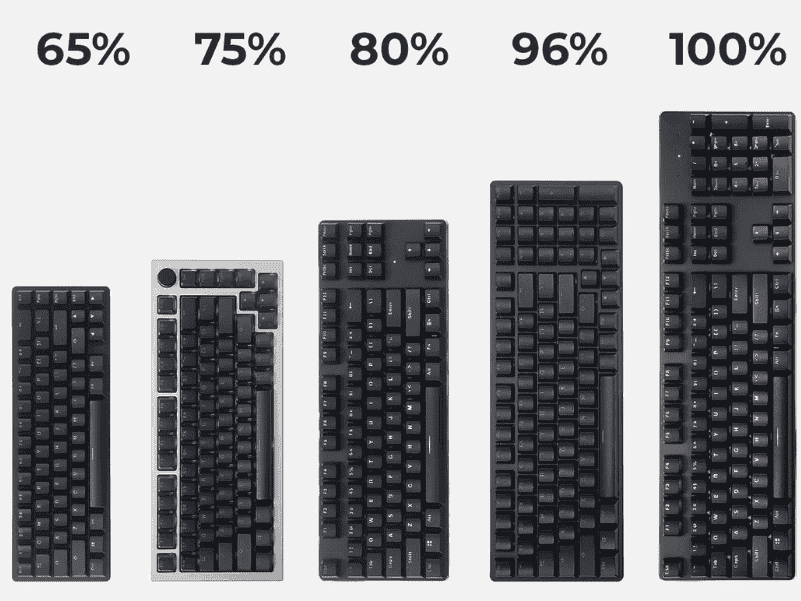
The Ultimate Keyboard Size Guide for Beginners helps you choose the right layout, dimensions, and ergonomics for comfortable, efficient typing and gaming.
Best gaming keyboards for small hands feature compact layouts, responsive switches, and ergonomic designs for precise control and comfort.