
Last updated on September 9th, 2026 at 11:30 am
Long hours. Endless spreadsheets. A constant stream of numbers. In a quiet office, every click can feel amplified, and a poorly designed keyboard can turn a productive day into a slow, aching grind.
For an accountant, your keyboard isn’t just an accessory, it’s your primary tool, a direct extension of your productivity the same reason we’ve dug into the best keyboards for programmers, another job where your hands rarely leave the keys. The right one impacts your speed, your accuracy, and how your hands and wrists feel after a marathon session.
This guide is built for that reality. We cut through the generic reviews to focus solely on what matters for accounting work: num pad efficiency, key feel, noise level, ergonomics, and relentless reliability. No gaming hype. No irrelevant specs. Just a clear breakdown of keyboards that make your crucial work faster, more accurate, and sustainably comfortable.
What Makes a Keyboard “Great” for Accounting?
If you spend most of your day entering figures, a dedicated numpad is essential, not optional. It allows your hand to remain in a single, efficient position, letting you fly through data without hunting for numbers across the top row. While tenkeyless layouts save desk space, they sacrifice speed and break crucial muscle memory, leading to more errors. For pure accounting efficiency, insist on a full-size keyboard or pair your compact board with a high-quality standalone numpad.
The physical feel of your keys the switch type directly impacts accuracy. Tactile switches provide a subtle bump that confirms each keypress without needing to bottom out. This feedback is invaluable for reducing errors during repetitive entries. Linear switches, by contrast, feel smooth but offer no physical cue, which can lead to accidental presses. (How much force each key requires also shapes comfort and error rates our guide on what is a mechanical keyboard switch’s actuation force explains the numbers. If you want to compare specific switch options before you buy, our best switches for mechanical keyboards guide breaks down the tactile and linear options worth considering.) For shared office environments, noise level is critical. Seek out silent tactile or dampened switches that deliver confirmatory feedback without disturbing colleagues. If possible, test switches in person before committing.
Ergonomics isn’t a luxury; it’s a long-term investment in your health and productivity. A proper wrist rest maintains a neutral wrist position, alleviating pressure on the carpal tunnel. Features like a slight tilt (tenting) or a split keyboard design help minimize unnatural wrist angles and shoulder strain during extended sessions. These adjustments deliver compounding benefits over the course of an eight-hour spreadsheet marathon.
A keyboard is a tool you use for thousands of hours. Invest in one built to last. Cheap ABS keycaps develop a shiny, slippery film and their legends can wear off. PBT keycaps are far more resistant to shine and maintain their texture. For the switches underneath, look for a rating of 50 million keystrokes or higher the industry standard for professional-grade durability. A solid internal plate and well-secured stabilizers also prevent flex and key wobble, ensuring a consistent feeling for years.
This is where a good keyboard becomes a great productivity multiplier. Programmable keys and macros allow you to automate tedious, repetitive sequences. Map complex Excel functions, common QuickBooks navigation, or formatting commands to a single key. Keyboards with onboard memory retain these profiles even when you switch computers. For accountants, dedicating even a few keys to macros can shave significant time off daily workflows.
Our Top Picks for Accountants at a Glance
Individual Reviews of the Best Keyboards for Accountants
1. Best for Heavy Data Entry

Image credit: (Amazon)
A comfort-first keyboard designed around an integrated palm rest to keep your wrists supported through marathon spreadsheet sessions.
The deep, cushioned palm rest is its standout feature, reducing wrist strain and making long periods of number entry noticeably less fatiguing. It uses quiet, low-profile scissor switches with a soft tactile response rather than a sharp mechanical click. This helps maintain office peace and minimizes typing noise during long shifts.
The full-size layout includes a standard numpad with well-spaced keys and a large, responsive Enter key. This allows numerical data entry to flow smoothly without cramped thumbs or mis-hits. Connectivity is reliable via Bluetooth or the included Logi Bolt USB receiver, making it compatible with typical office setups. Designed with spill resistance and long battery life, it’s built to minimize downtime.
-
Integrated palm rest for all day comfort
-
Quiet keys ideal for shared offices
-
Reliable full size layout with numpad
-
Membrane switches lack tactile feedback
-
No programmability or macro keys
If you live in Excel and prioritize fatigue reduction and quiet reliability over mechanical key feel or deep customization, the K650 is a practical and comfortable champion for staff accountants and bookkeepers.
2. Best for Excel Power Users

Image credit: (Amazon)
The MX Keys S is a productivity command center for advanced financial work, engineered to streamline complex workflows and minimize errors in data-intensive tasks.
This keyboard excels with intelligence, not just inputs. Its smart illumination highlights active shortcuts and adapts to your hands, making key functions instantly visible without distracting hunts. Full customization via Logi Options+ allows you to map the F-row and specific keys to Excel macros and repetitive commands. For professionals juggling multiple systems, Easy-Switch allows seamless pairing and instant switching between up to three devices, a critical feature for auditors or consultants to move between a laptop and desktop.
The typing experience is meticulously crafted for precision. Perfectly concave keycaps cradle your fingertips, promoting accurate finger placement and reducing typos during rapid shortcut use. The quiet, low-profile scissor switches provide satisfying tactile confirmation without disturbing an open office.
The full-sized, integrated numpad is precise and reliable. With stable key spacing and consistent key travel, it ensures fast, error-free numeric entry, which is indispensable for financial modeling and lengthy data edits.
-
Smart backlighting for key guidance
-
Fully customizable keys for macros
-
Seamless multi-device switching
-
Premium price point
-
Software-based, not firmware, customization
For financial analysts, FP&A professionals, and any accountant whose workflow depends on complex models and keyboard shortcuts, the MX Keys S delivers a superior blend of intelligent features, precise typing, and seamless connectivity to accelerate work and enhance accuracy.
3. Best Ergonomic Option

Image credit: (Amazon)
A proven, no-nonsense ergonomic solution designed to prevent wrist and shoulder strain during the long, stationary sessions that define accounting work.
This keyboard’s design addresses the root causes of desk-job discomfort through a three-part system.
The split keyboard design angles each half to match your natural shoulder width. This reduces ulnar deviation the inward bending of the wrists and allows your arms to relax in a more neutral position, significantly decreasing pressure during hours of typing.
Its domed layout gently raises the center while lowering the outer edges. This contour helps maintain a neutral wrist posture, minimizing the extension that leads to fatigue and tension over a full day of data entry.
The separate numpad represents the key ergonomic trade-off. Its detachment allows you to center the main letter cluster directly in front of your body, optimizing shoulder alignment and reducing reach. While it requires more desk space and an adjustment period for those used to a fixed layout, this separation is central to the keyboard’s overall ergonomic benefit.
-
Split design that reduces unnatural wrist angles
-
Domed layout promoting neutral hand posture
-
Detachable numpad for optimal keyboard centering
-
Purpose-built for long-term ergonomic health
-
Separate numpad requires significant desk space
-
Noticeable adjustment period for new users
For accountants seeking proven relief from discomfort or wanting to invest proactively in their physical health, the Microsoft Sculpt Ergonomic is a definitive, safe recommendation provided you accept its separate numpad as a core part of the ergonomic equation.
4. Best Compact Setup with Numpad

Image credit: (Amazon)
The Keychron Q5 Pro is a definitive no-compromise compact keyboard for accountants who demand a full numpad but want a cleaner, more ergonomic desk.
This keyboard masterfully combines full functionality with a space-efficient design. Its 96% layout retains the essential numpad and navigation cluster while eliminating only the empty margins of a standard board. This brings your mouse closer, reducing shoulder reach and making long spreadsheet sessions more comfortable without forcing you to relearn key positions.
It delivers superior mechanical quality where it counts. Featuring hot‑swappable sockets, it allows you to customize your typing effortlessly whether you prefer tactile Gateron Browns, silky linears, or the legendary reliability of Cherry MX switches. To explore boards built around those proven switches, see our best cherry mx keyboards list. The keyboard is outfitted with durable double-shot PBT keycaps that resist shine and wear, ensuring legends stay crisp for years of daily use. The aluminum frame provides a solid, stable foundation that eliminates flex during fast data entry. For advanced users, full VIA and QMK support unlocks deep programmability, letting you remap keys and build complex Excel macros directly into the keyboard’s hardware to automate repetitive formulas and navigation.
-
Full numpad in a significantly reduced footprint
-
Hot-swappable design for long-term switch customization
-
Durable PBT keycaps that withstand heavy use
-
Premium aluminum frame for superior stability
-
Advanced programmability for Excel macros
-
Substantially heavier than typical office keyboards
-
Higher price point than basic mechanical or membrane boards
For the accountant who views their keyboard as a premium tool, prioritizes a tight and efficient desk setup, and relies on a full numpad daily, the Keychron Q5 Pro delivers unparalleled mechanical quality and compact efficiency without sacrificing a single key.
5. Best Budget Option

Image credit: (Amazon)
The Logitech MK270 is the reliable, no-fuss workhorse that makes perfect sense for firm-wide rollouts or a straightforward home office setup where value and function trump all else.
This keyboard excels through sheer dependability. It uses a quiet membrane key design. While it lacks the crisp tactile feedback of mechanical switches, it provides a soft, predictable, and forgiving press that is well-suited to long stretches of routine data entry without causing distraction in shared spaces.
The full-size layout includes a standard, familiar numpad. The spacing is intuitive, making numeric entries feel natural from the first use. There are no advanced features here, but it consistently delivers on the core promise of a keyboard.
Where the MK270 truly stands out is in its unwavering reliability. The wireless connection via the compact Logitech USB receiver is stable and resistant to interference. Its legendary battery life frequently extends beyond two years of daily use, ensuring it works when you need it without fuss or frequent maintenance.
-
Extremely affordable price point
-
Trusted full-size layout with numpad
-
Exceptional long-lasting battery life
-
Proven and reliable wireless connection
-
Membrane keys lack tactile precision
-
No programmability or customization options
When the priority is essential function, proven dependability, and the lowest total cost, the Logitech MK270 is the unequivocal choice. It’s the keyboard you buy once, forget about, and trust to do its job quietly for years.
6. Best Premium Office Keyboard

Image credit: (Amazon)
A luxury mechanical keyboard engineered for a polished, professional environment where superior typing feel and discreet aesthetics are equally important.
This keyboard redefines the mechanical experience for the office. Its clean, minimalist design in soft white avoids the aggressive styling of gaming peripherals. It presents a sophisticated look that integrates seamlessly into executive suites or client-facing spaces without appearing out of place.
At its core are the Razer Orange Mechanical Switches. Specifically tuned for professional use, they deliver a quiet, tactile bump that provides clear confirmation of each keypress. This ensures accuracy during data entry while maintaining the quiet necessity for shared workspaces and long, focused sessions.
Premium features enhance all-day comfort and connectivity. The included leatherette wrist rest offers plush support during extended use. Robust multi-device Bluetooth allows for smooth switching between a laptop, desktop, or tablet, which is invaluable for accountants managing multiple systems. Impressive battery life ensures that charging is an occasional task rather than a daily concern.
The full mechanical numpad is standout. It matches the main keyboard’s precise, solid feel, providing consistent and controlled numeric entry without the hollow or rattly sensation found on lesser mechanical boards.
-
Quiet tactile mechanical switches ideal for offices
-
Professional and minimalist aesthetic
-
Included premium leatherette wrist rest
-
Reliable multi-device wireless connectivity
-
Commanding premium price point
-
Larger footprint than compact or tenkeyless boards
For the accountant who desires the refined tactile feedback and enduring build quality of a mechanical keyboard, but requires uncompromising professionalism and quiet operation, the Razer Pro Type Ultra delivers a high-end experience tailored for serious work environments.
How to Choose: Decision Checklist
Before making a decision, pause and run through this practical checklist. It will help you focus on what you genuinely need for your daily work, rather than what looks impressive in a review.
Accounting Performance
This simple set of questions is designed to cut through the noise and align your choice with your real-world accounting environment and habits.
Full keyboard or separate numpad?
Consider your desk space and workflow. A standalone numpad offers flexibility for a cleaner setup. If you prefer an integrated, hassle-free solution where everything is in one place, a traditional full-size board is the more straightforward choice.
Is your office sensitive to noise?
The acoustics of your workspace matter. In shared offices or during frequent calls, prioritizing quieter switches is essential to maintain focus and courtesy, preventing sound fatigue for you and your colleagues.
Do your wrists feel tired or sore by mid-day?
Listen to your body. Any recurring discomfort is a clear signal to prioritize ergonomics. Look for designs that promote a neutral hand posture to reduce strain. The benefits of comfort accumulate significantly over weeks and months of use.
Will you actually use shortcuts and macros?
Be honest about your habits. If you repeat specific sequences in Excel or accounting software dozens of times a day, programmability offers a quick return on investment. If your workflow is more varied, you can likely skip this advanced feature.
What’s your realistic budget?
Set a clear budget before you start shopping. Remember that investing more upfront for comfort, durability, and the right features often proves more economical than replacing an inadequate keyboard or addressing discomfort later.
Answer these questions honestly, and the best keyboard for your situation will usually reveal itself.
Pro Tips for Accountants: Beyond the Hardware
A great keyboard lays the foundation, but sustained efficiency is built through refined habits and smart software use.
True speed is found in minimizing reliance on the mouse. Commit these core shortcuts to muscle memory. In Excel, master Alt + = for instant sums, Ctrl + [Arrow Keys] to navigate data blocks, and Ctrl + Shift + L to manage filters instantly. Within accounting platforms like QuickBooks, dedicate time to learning the keyboard commands for generating invoices, toggling between modules, and pulling transaction reports. This practice keeps your focus on the task, not on finding menu options.
Here is where modest setup time yields compounding returns. Automate the repetitive formatting of income statements or trial balances. Build a single-command macro that applies your standard number formats, freezes panes, and inserts recurring formulas. For data hygiene, a macro to clean imported data by removing extra spaces and standardizing date formats can reclaim hours each month. In complex workbooks, navigation macros that instantly jump between critical sheets are invaluable.
Long-term performance stems from consistent care. Establish a routine of wiping down keycaps weekly to prevent slick oil buildup. Use compressed air periodically to clear dust and debris from beneath keys, particularly around the heavily used numpad. For mechanical keyboards, occasional keycap removal for a gentle cleaning maintains a consistent feel across all switches. A simple rule of keeping drinks at a distance and starting with clean hands significantly prolongs your keyboard’s life. Integrating these practices transforms any capable keyboard from a simple input device into a finely tuned instrument for professional work.
Conclusion: Invest in Your Productivity
The right keyboard is far more than an accessory; it is a fundamental investment in your professional efficiency and physical well-being. The best choice minimizes daily friction, maximizes operational speed, and actively protects your health during long hours of critical work.
To recap, the standout tools for specific accounting needs are:
- For unrivaled ergonomics and strain prevention: The Microsoft Sculpt Ergonomic.
- For intelligent features and Excel mastery: The Logitech MX Keys S.
- For premium compact efficiency with a full numpad: The Keychron Q5 Pro.
- For reliable, no-fuss performance on a budget: The Logitech MK270.
Your workflow is unique. Use the decision checklist to guide your choice, apply the pro tips to sharpen your technique, and select the tool that matches your actual daily demands. And if you want a keyboard that can be shaped even further from switch feel to macro layers see our in‑depth roundup of the best customizable keyboards.
FAQs
A number pad is definitely important in accounting work because there’s a lot of numeric input, and it’s much easier to handle with the index finger.
The best keyboard for Excel is a full-layout keyboard with a number pad. It allows quick data entry without moving your hand away from the main typing area.
It’s all about preference, but if you want something great for your setup and you do a lot of data entry, the Keychron Q5 Pro is an excellent choice. Both the typing feel and the layout make it a good fit for heavy use.
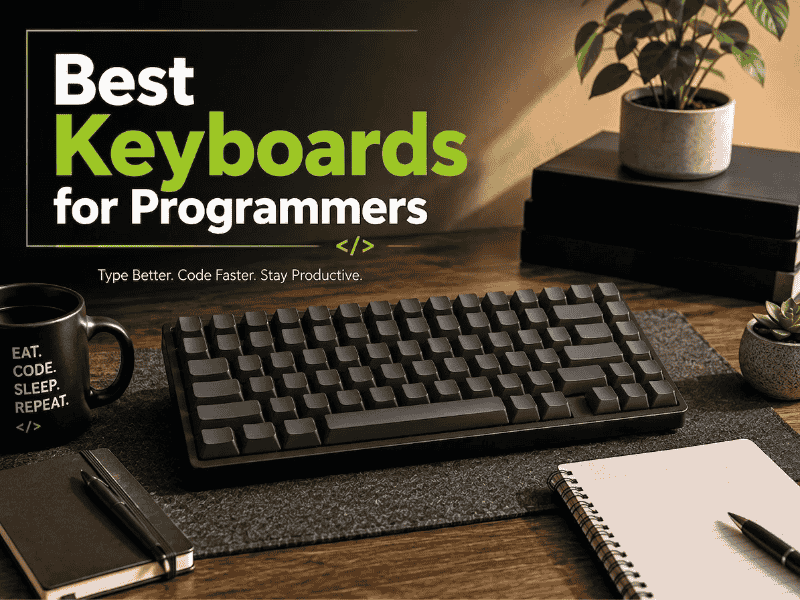
We tested the specs, not just the hype. See our picks for the best keyboards for programmers in 2026, budget to premium, Mac to Linux.
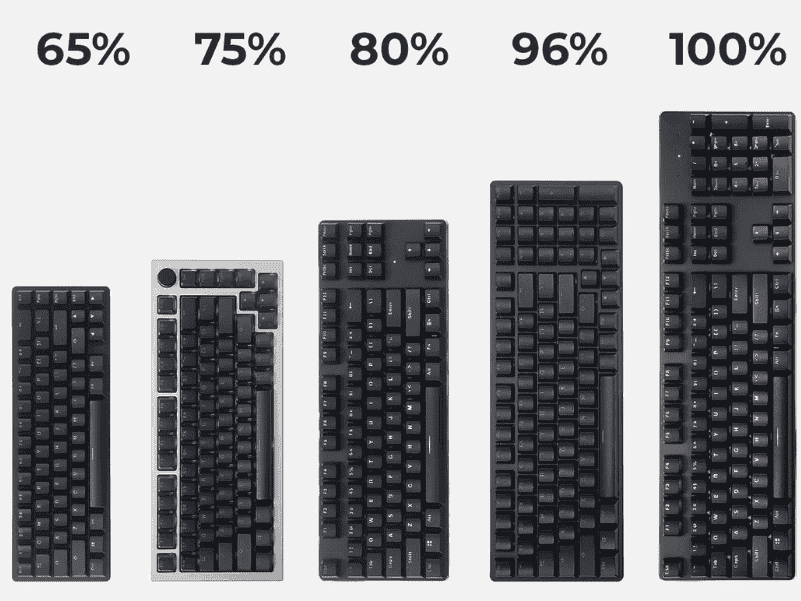
The Ultimate Keyboard Size Guide for Beginners helps you choose the right layout, dimensions, and ergonomics for comfortable, efficient typing and gaming.
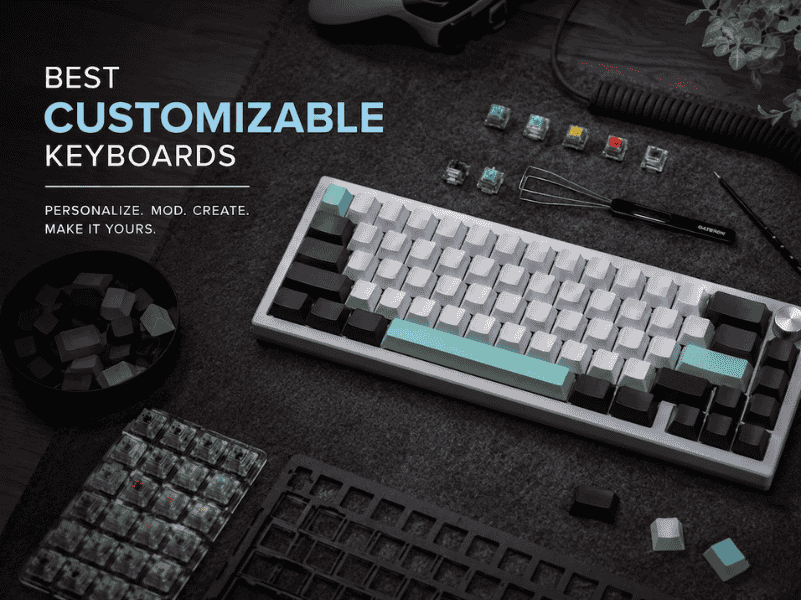
Our guide to the best customizable keyboards of 2026 moves beyond lists. Find your perfect match for typing feel, sound, and workflow.
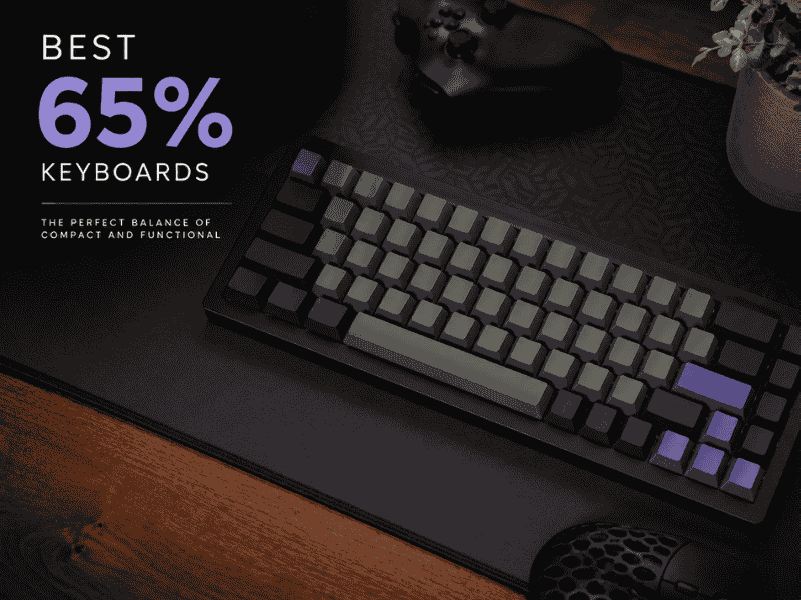
Explore the best 65% keyboards with compact layouts, customizable switches, and premium builds for typing and gaming in tight spaces.